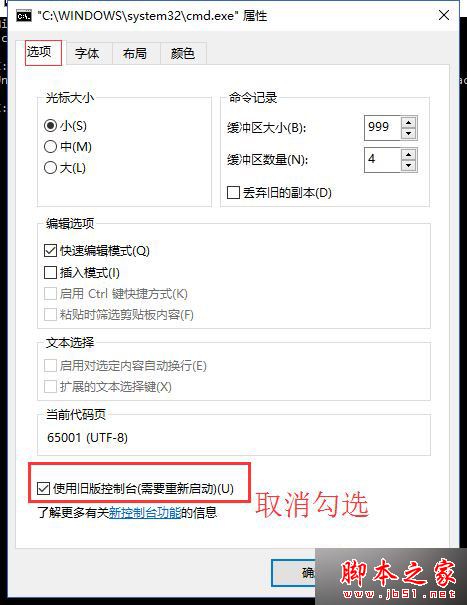
Win10 開啟 Bash 出現錯誤 「In order to use this feature the legacy console must be disabled.」,主因命令提示字元仍啟用舊版主控台模式,關閉即可解決。
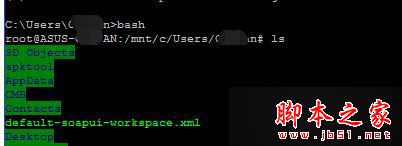
bash 即可正常進入

Win10 無法進入 BIOS 三種解決方法
Windows 10 手機版跳過 10136 直推 10145:Build 10145 內部測試中、本週或下週推送、預計無重大新功能專注修補 Bug
Win7啟動後彈出「硬碟問題請立即備份」?資料優先、分級修復全攻略
Windows 10 安裝卡在「已完成 18%」動不了?等待、斷網、取消重試三大對策
Win7 開機報錯 nvstreamsvc.exe 應用程式錯誤?兩法修復:重裝顯卡驅動 (用 360 驅動大師) 或關閉 GeForce Experience GameStream
微軟推送 Win10 Mobile/PC 週年更新累積補丁 KB3189866 (14393.187)
Win7 USB 裝置識別緩慢?停用 Windows Update 自動安裝驅動加速