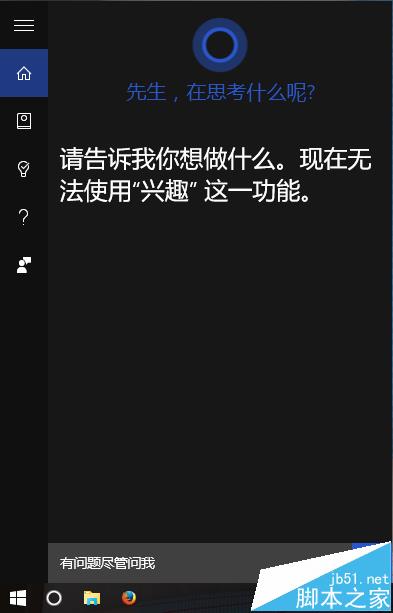
Win10 Cortana 小娜「興趣」功能突然失效,多因曾使用代理軟體導致系統應用無法正常聯網。常見重啟 Cortana、重新登入帳號、清除記錄等方法無效時,請嘗試以下代理設定修復法。
修復步驟
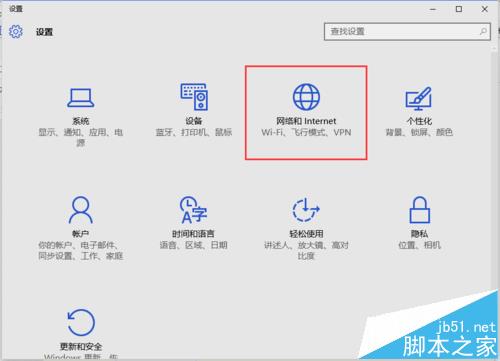
- 開啟 設定 → 網路與網際網路
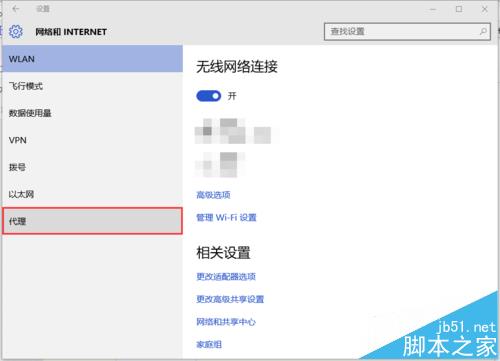
- 左側選單選 Proxy(代理伺服器)
- 檢查「自動 Proxy 設定」區塊:
- 若 「使用設定腳本」 為 開啟 且有 「腳本位址」 → 此法適用
- 若無腳本位址 → 請嘗試其他修復方案
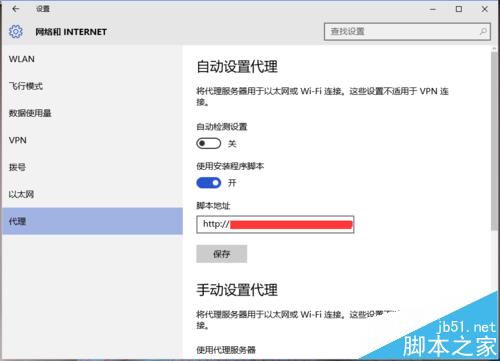
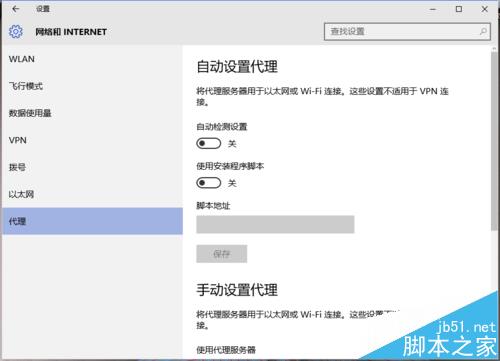
- 清空「腳本位址」並點擊「儲存」,或直接 關閉「使用設定腳本」開關
- 重新開啟 Cortana,「興趣」功能應已恢復正常

注意事項
- 曾使用過代理軟體(如 VPN、SS、V2Ray 等)的用戶,大多因此設定殘留導致
- 未使用過代理軟體者亦可嘗試檢查此設定
相關推薦
- Win10 如何開啟語音喚醒 Cortana?
- Win10 提示關鍵錯誤 Cortana 無法使用解決辦法
- Win10 Cortana 無法輸入中文怎麼辦?