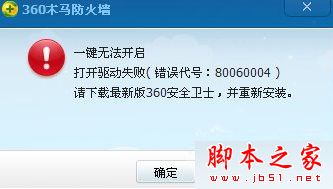
Win10 64 位系統中 360 安全衛士彈出「一鍵無法開啟 開啟驅動失敗(錯誤碼:80060004)」,主因系統已中毒導致 360 核心驅動被破壞。本文教您使用 360 系統急救箱深度清除病毒並重裝 360。
解決流程
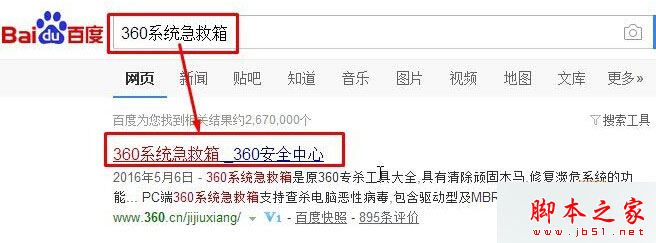
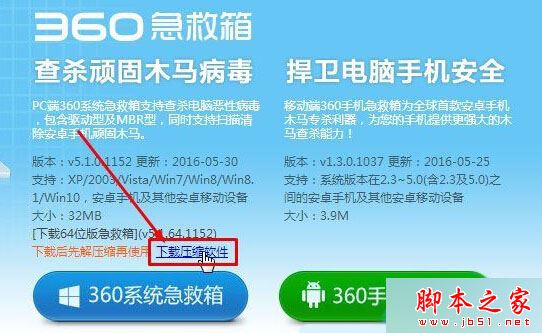
- 下載 360 系統急救箱(V5.1.64.1158 綠色免費版,24.6 MB)
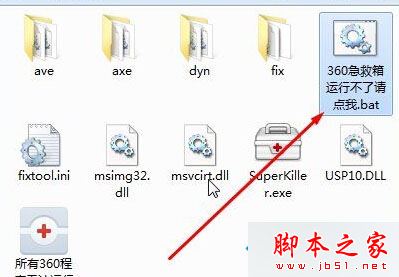
- 解壓縮後,雙擊執行 「360急救箱運行不了請點我.bat」
(若無法執行,右鍵選擇「以系統管理員身分執行」)
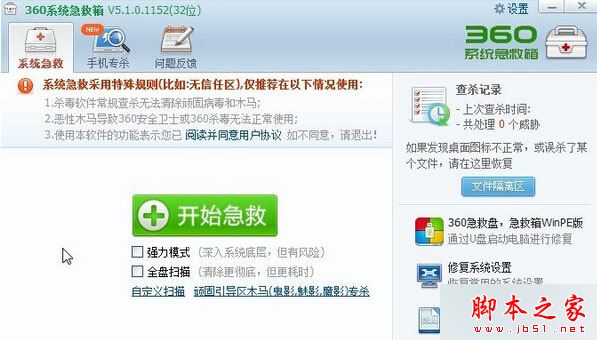
- 介面中勾選:強力模式、程序管制(彈出視窗選「是」)、全盤掃描
- 點擊 「開始急救」 等待掃描完成
- 掃描結束後點擊 「立即重啟」
- 重新下載安裝 360 安全衛士最新版(v10.3.0.1002d,59.9 MB)
軟體資訊
- 360 系統急救箱:V5.1.64.1158,24.6 MB,2016-08-26 更新
- 360 安全衛士:v10.3.0.1002d,59.9 MB,2016-06-16 更新
延伸閱讀
360 安全衛士升級 Win10 一直顯示「正在獲取更新」故障原因與解決