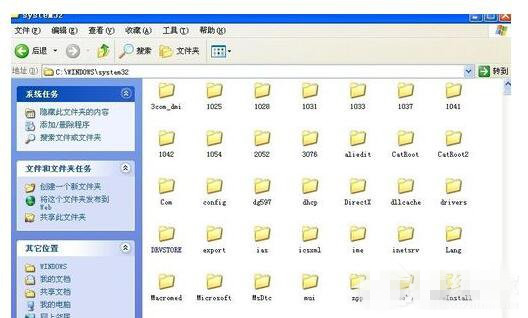
XP 系統執行程式時彈出「無法定位程序輸入點於動態連結庫 xxx.dll」,代表該 DLL 檔案遺失、版本不符或損毀。解決核心:取得正確版本的 DLL 放入系統目錄。
提醒: 複製 DLL 時建議先備份原檔;若問題持續,可能需重新安裝相關軟體(如 Visual C++ Redistributable)或修復系統檔案 (`sfc /scannow`)。
Win7 重裝 Chrome 失敗錯誤碼 0xa0430721?刪除殘留資料夾即可解決
Win7 內部版本 7601 提示「此副本非正版」完整解決方案(含服務重啟、激活工具、重裝鏡像)
Win7/Win8.1 全新安裝 Win10 前必先升級?數位授權綁定硬體機制詳解
Windows 10 雙版本預覽版本月接連登場:桌面版與行動版分別推送
Win10 登入畫面背景修改工具 Windows 10 Login Changer 0.6 下載與使用教學
Windows 7 系統更新完整圖文教學:從檢查更新到重新開機
Windows 10 開啟工作管理器三大法:搜尋、快捷鍵、執行指令
Win7 宽带自动拨号开机连接:任务计划程序创建登录触发延迟 30 秒运行 rasphone.exe 拨号脚本