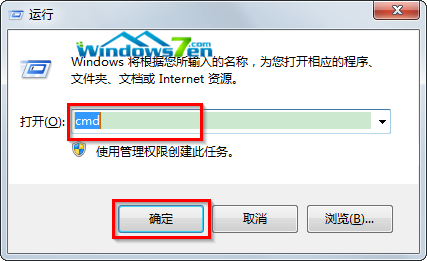
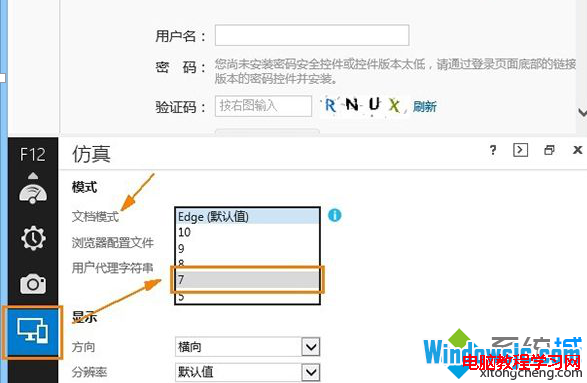
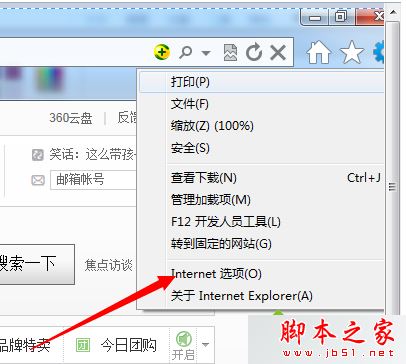
Windows 7 開啟檔案彈出「Internet 安全性設定阻擋開啟一個或多個檔案」,提供兩種修正方式。

相關閱讀: Win7 桌面所有檔案無法重新命名提示目標資料夾存取被拒絕解決法。
Windows 7 建立系統修復光碟完整教學:備份關鍵救命稻草
解決 Windows 8 系統經常無回應、程式無法關閉的問題
Windows 8 如何使用 SFC /Scannow 修復系統受損組件?命令提示字元管理員權限完整教學
Win10 10525 升級安裝完整指南:從 10240 正式版升級、全新安裝、退出 Insider 回滾正式版
Win10 支持语音输入吗?自带小娜仅限指令控制,真正语音输入需讯飞等第三方工具
Win10 Mobile 10149 慢速版正式推送:穩定性長足進步、Edge 亮相、手電筒加入通知中心
Windows 10 查看系統體驗指數 (WEI) 隱藏功能:透過 Win32 版「遊戲」應用與 winsat formal 指令評分