部分用戶從 Windows 7 升級至 Windows 10 專業版後,發現僅 Edge 瀏覽器能上網,其他瀏覽器全部無法連線。此為網路協定堆疊異常,可透過命令提示字元重置 Winsock 與 TCP/IP 解決。
ipconfig /flushdnsnetsh winsock reset catalognetsh int ip reset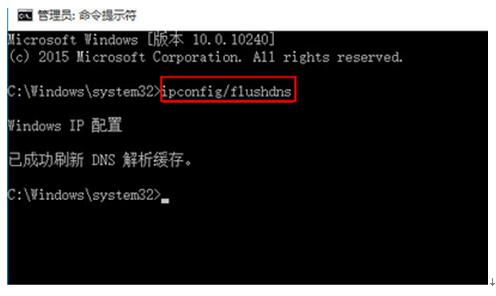
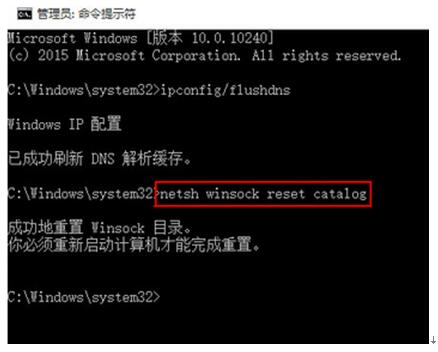
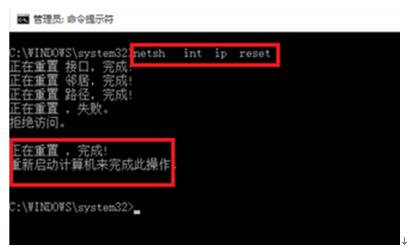
此方法可重置網路協定堆疊,恢復所有瀏覽器的網路連線能力。
Win8.1 關機藍屏 HDAudBus.sys?關閉快速啟動/睡眠/休眠與更新驅動解決
Win10 右鍵選單缺少「開啟/列印/編輯」選項?新增登錄 DWORD 值 MultipleInvokePromptMinimum 解決
Windows 10 創作者更新 15014:從 Microsoft Store 下載安裝桌面主題新體驗
盜版 Win7/8 升級 Win10 後可在微軟商店購買授權「洗白」正版
Windows 10 Build 10130 預覽版支援 Modern App 多實例同時執行 (目前僅計算機支援)
Win10 關閉透明化介面 (開始選單/工作列/動作中心) 登錄修改法,適用 Build 10056+