Win8 用戶常因無線網卡驅動舊版導致掉線,本文教學透過裝置管理員手動更新驅動。
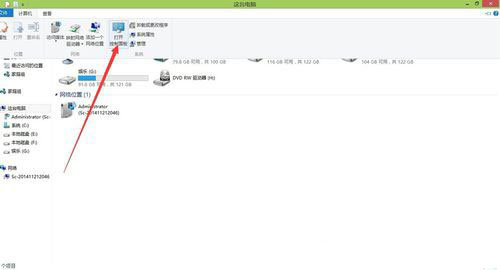
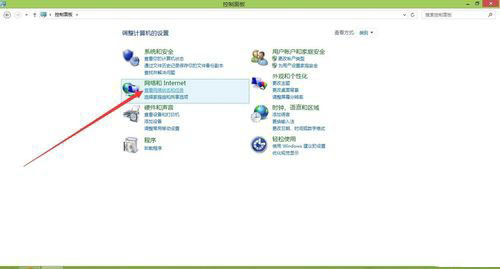
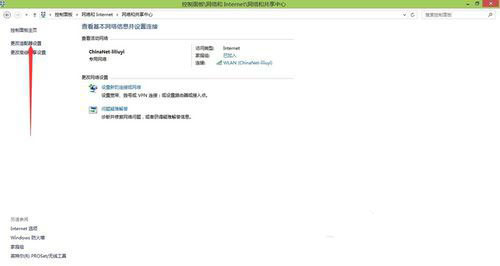
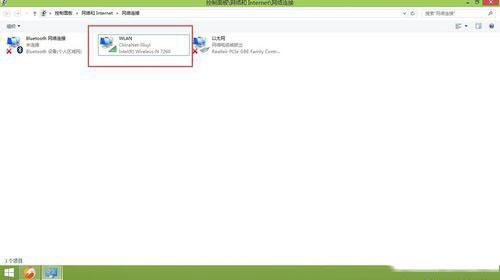
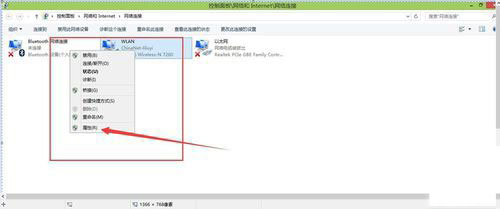
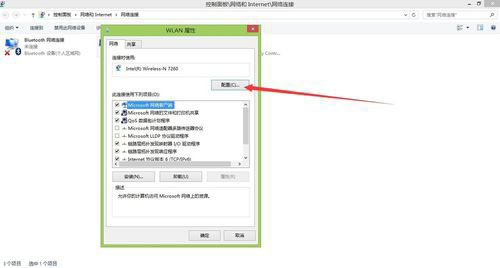
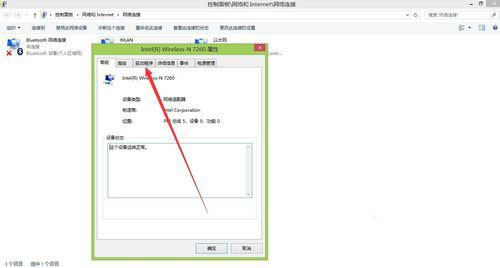
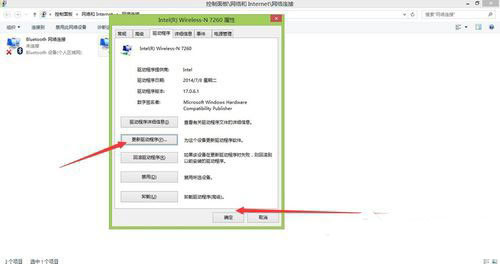
以上為 Win8 更新無線網卡驅動完整教學,有疑問歡迎留言!
Windows 8.1 啟用睡眠/休眠模式完整教學:電源選項進階設定開啟混合睡眠與喚醒定時器
Win8.1 修復「無法連線到此網路」Wi-Fi 連線失敗五大方案
Win8.1 系統怎麼查看硬盤大小?Win8.1 查看硬盤容量的方法
Surface Pro 3 / Surface 3 獲韌體更新,優化 Wi-Fi、藍牙並支援 Windows 10 新功能
Win7 如何使用主題?完整教學:取得、套用、自訂桌面圖示與滑鼠指標
Windows 10 系統發布:跳過 Windows 9 命名為 Windows 10,跨平台統一核心、開始選單回歸、Continuum 模式