先前介紹過啟用 USB 寫入保護,本文說明如何解除。核心步驟:註冊表 WriteProtect 設為 0,配合 diskpart 清除磁碟唯讀屬性。
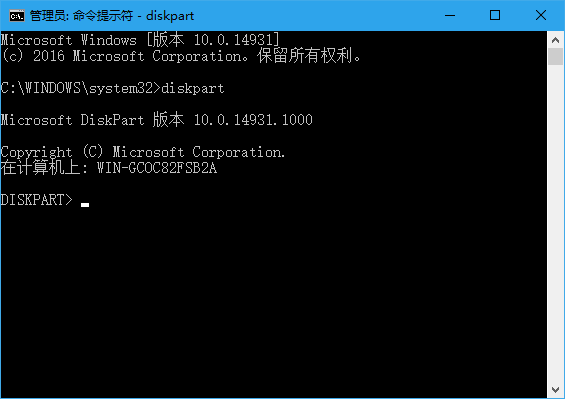
HKEY_LOCAL_MACHINE\SYSTEM\CurrentControlSet\Control\StorageDevicePolicies\WriteProtect 數值設為 0(無此鍵則新建 DWORD 值為 0)。diskpart
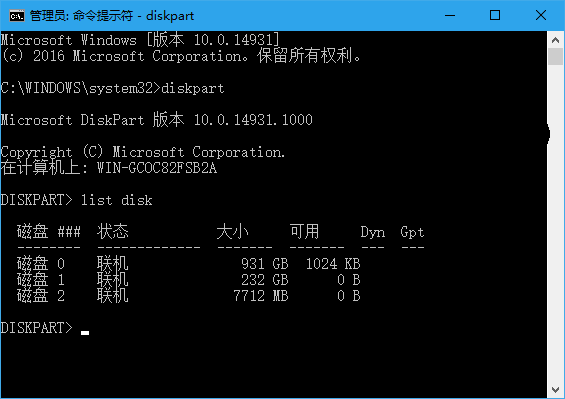
list disk
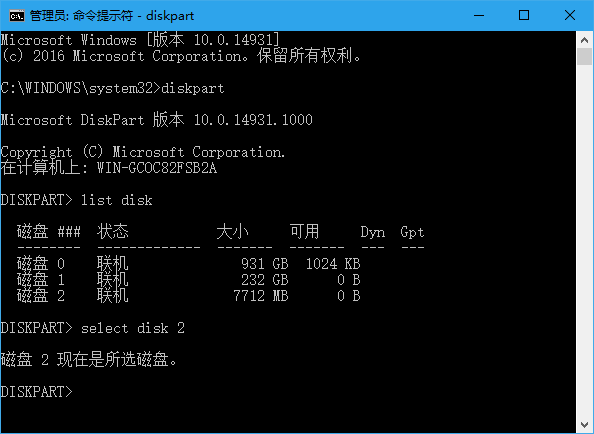
select disk n (n 為目標 USB 隨身碟編號,依容量判斷)
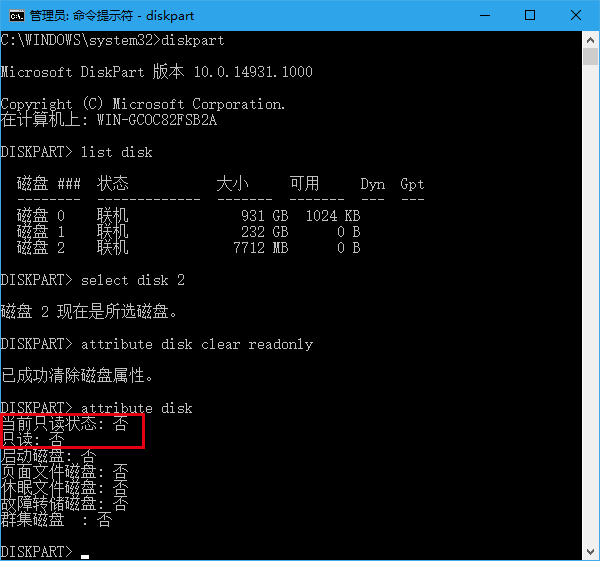
attributes disk clear readonly
attributes disk (驗證 Read-only 顯示 No 即成功)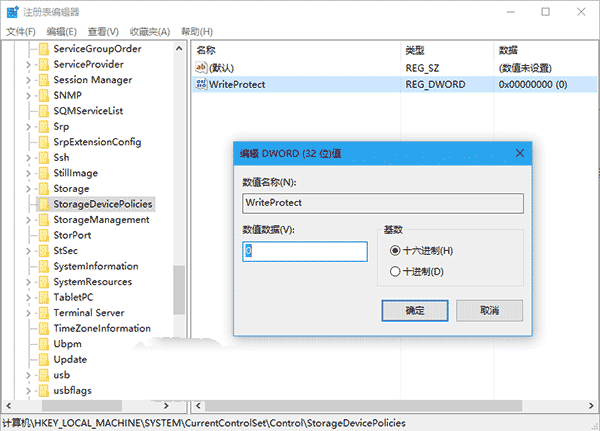
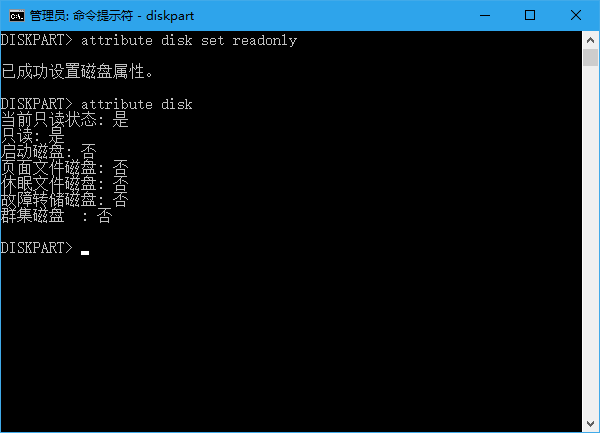
attributes disk set readonly。備案方案: 若指令無效,備份資料後執行「完整格式化」(非快速格式化),對某些隨身碟有效。
Win 10 線上推送引發全球網路負擔:微軟預留 40 Tbps 頻寬,已用超 10 Tbps
Win8.1 通知區域圖示總是自動隱藏?群組原則強制顯示所有圖示教學
Win10 安裝第三方字型後 Edge 瀏覽器網頁亂碼?群組原則修改 User Agent 解決方案
Win8 寬帶連線錯誤 651「調變解調器回報錯誤」完整排查指南:ADSL/FTTx/FTTH 分類解決方案
什麼是 MAK 啟用金鑰?Win10 查看已啟用 Windows 金鑰 Key 教學
Win8 迅雷局域網共享設定教學:建立共享目錄、密碼保護、跨裝置存取下載