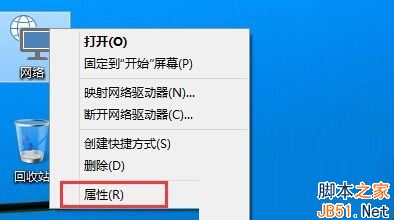
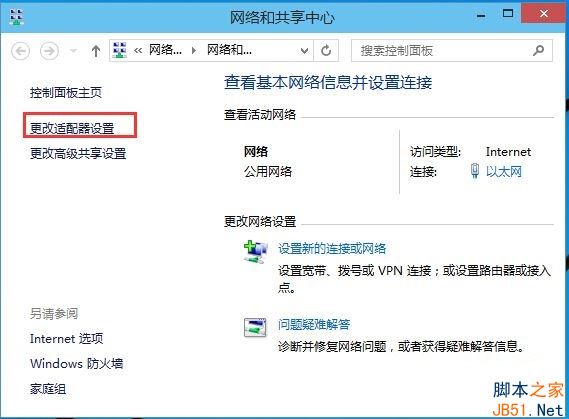
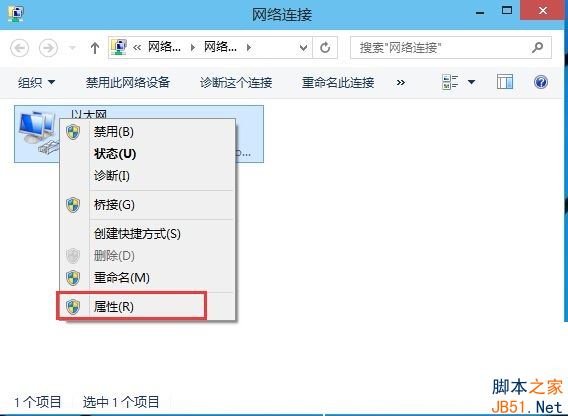
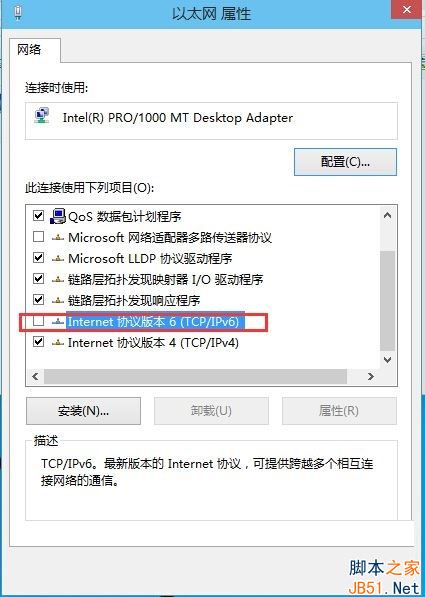
Win10 預設啟用 IPv6,但現階段多數環境仍以 IPv4 為主,IPv6 有時導致網卡假死、系統未回應。關閉方法:右鍵工作列網路圖示 → 網路與共用中心 → 變更介面卡設定 → 右鍵使用中的介面卡(乙太網路/無線)→ 內容 → 取消勾選「Internet 通訊協定第 6 版 (TCP/IPv6)」→ 確定。Win8 同理操作。
Win10 全新 Spartan 瀏覽器新功能:支援擴充功能、網頁批註、整合 Cortana
Win10 並非真正免費?免費升級附帶條件限制,專欄作家建議微軟徹底免費化
Win7 如何手動官方升級 Win10?微軟官方工具離線升級教學
台式電腦能裝 Win 10 嗎?硬體需求低、體驗優於 Win 7/8
Windows 7 忘記無線網路密碼?一鍵查看已儲存 Wi-Fi 密碼圖文教學
Win8 照片應用不顯示新照片?必須先開啟應用再匯入圖片才會同步顯示
Win8 禁止縮略圖顯示文件圖標:資料夾選項「查看」取消勾選即可
Win10 聚焦鎖定畫面壁紙五波合集下載:橫豎雙版、1920x1080/1080x1920