Win 10 架設 Web 伺服器步驟
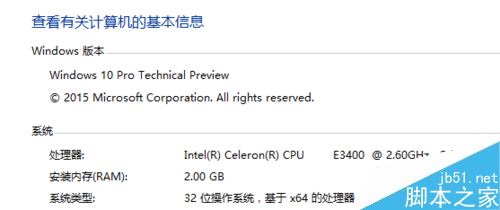
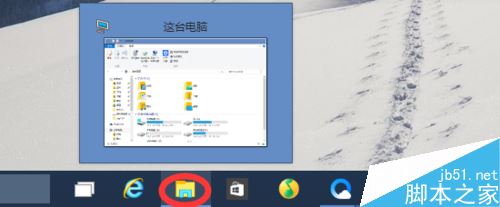
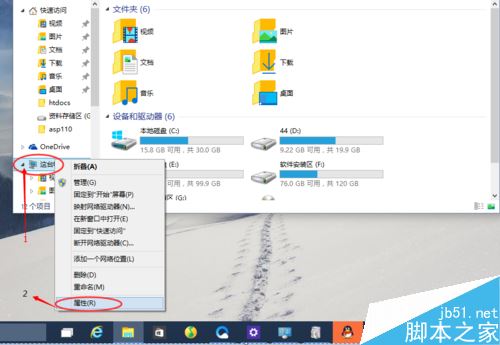
- 開啟「檔案總管」→ 右鍵「這台電腦」→「內容」。
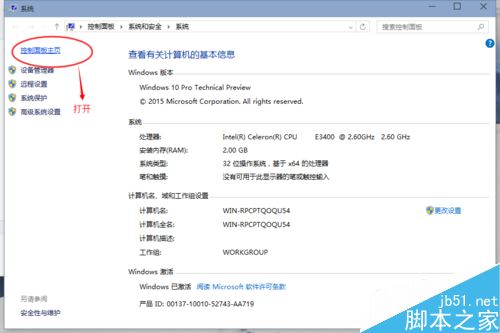
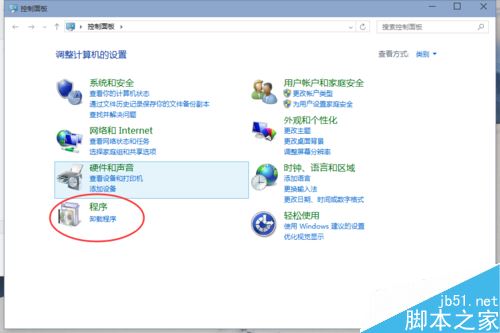
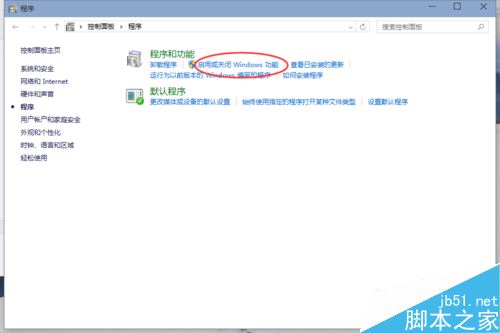
- 左側選擇「控制台首頁」→ 「程式集」→ 「開啟或關閉 Windows 功能」。
- 勾選「Internet Information Services」相關元件 (至少勾選 World Wide Web Services → Application Development → ASP.NET / ISAPI Extensions / ISAPI Filters)。
- 確定安裝完成。

注意事項:若設定介面無選項,請嘗試移除 IIS 後重新安裝。
相關閱讀:
- Win 10 如何查看 CPU 溫度
- Win 10 系統藍牙連接手機教學
- Win 10 開始選單應用程式不見了怎麼辦
- Win 10 存取區域網路共享檔案要求輸入網路認證兩種解法