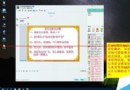
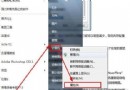
照片備註常記錄拍攝故事,啟用顯示讓資訊一目瞭然:
之後以詳細資料檢視即可直接看到每張照片的備註內容。
Windows 8 雙顯示卡開機黑屏?停用核心顯示卡解決
Win10 Mobile 升級最新系統後無法取得韌體更新?透過 Windows 預覽體驗 App 切換通道獲取
法國電信商 SFR 公布 Windows 10 Mobile 正式版推送計畫:延至 2015 年底
一行指令查詢 Windows 7 系統安裝日期:systeminfo 快速取得初始安裝時間
免序號安裝 Windows 8.1 至外接硬碟:PE 環境 + WIM 釋放完整教學
Win10 Mobile 10586 運行截圖大量曝光:介面細節與版本資訊確認
大陸 Windows 系統無法登入 Google/Gmail?VPN 與修改 hosts 兩大解法
Win7 網頁驗證碼圖片不顯示?IE 安全性設定調整 + 清除快取徹底解決