Windows 8 不再支援開機按 F8 進入安全模式,改為 Shift+F8 或透過系統設定工具 (msconfig) 設定下次開機進入安全模式。
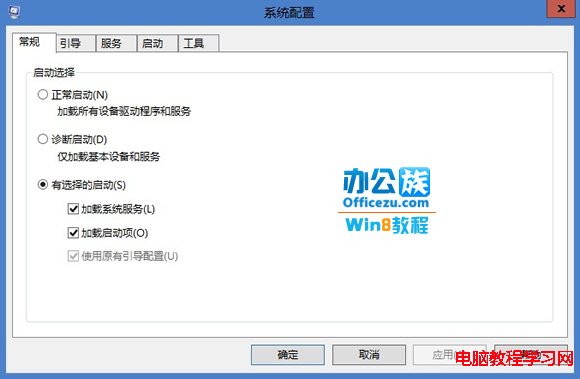
1、按 Win+R 輸入 msconfig 開啟系統設定。

2、切換至「開機」分頁 → 勾選「安全開機」與「最小」 → 設定逾時秒數(預設 30 秒) → 確定重開機。
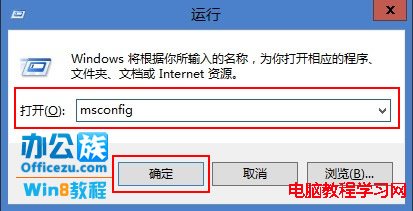


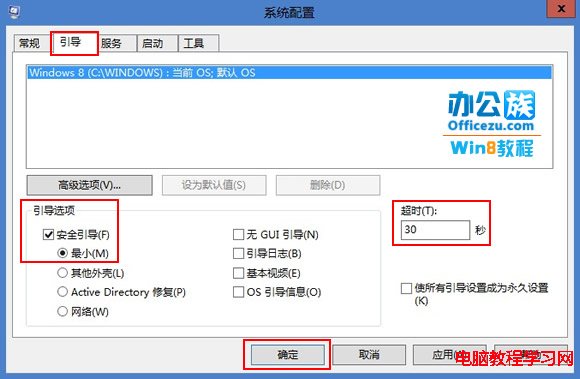
3、重開機後自動進入安全模式。完成維修後再次開啟 msconfig 取消勾選即可恢復正常開機。

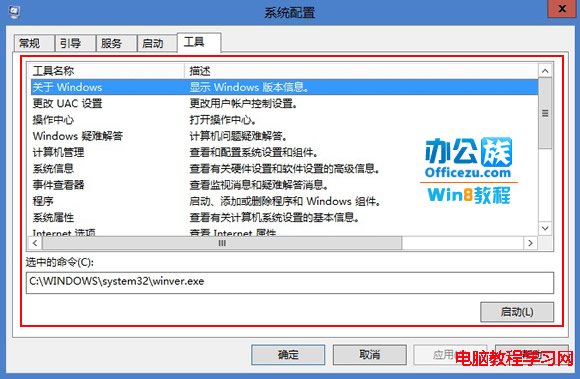
提示:「最小」為標準安全模式,「其他 Shell」為命令提示字元安全模式,「Active Directory 修復」為目錄服務模式,「網路」為含網路支援的安全模式。