Windows 8 消費者預覽版建立 VPN 連線常遇 691/629 錯誤。三個關鍵設定可大幅提高成功率。
\username。
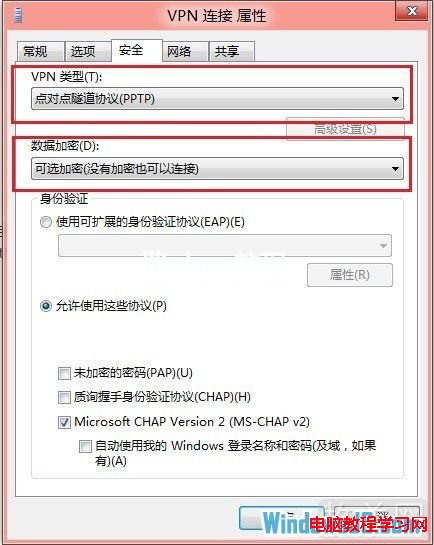
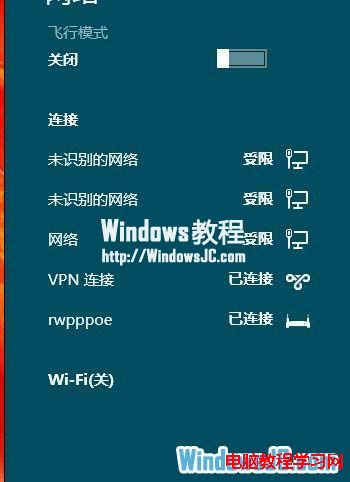
若仍失敗,嘗試切換 VPN 類型 (L2TP/IPSec、SSTP、IKEv2) 並調整加密等級,多測試幾種組合通常可連線成功。
Win10 Chrome 首頁被 2345 篡改怎麼辦?Windows 清理助手「故障修復」→ 修復 IE 首頁為 about:blank 解決
Win7 檔案總管搜尋記錄怎麼刪?電腦管理軟體掃描清理或註冊表手動刪除 WordWheelQuery
Win10 登錄表修改恢復 Win8.1 風格網路清單(從右側滑出)
Windows 10 移除五大傳統功能:媒體中心、DVD 原生播放、桌面小工具、選擇性更新、Windows Live 套件
Win10 Mobile 15002預覽版缺席:微軟專注PC端反饋,移動版近月無更新
Windows 10 將支援 NFC 支付功能:跨裝置統一平台的新挑戰