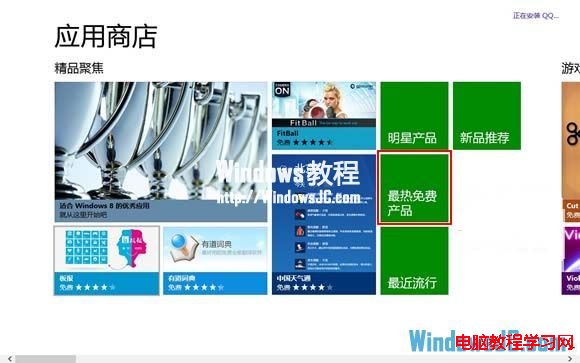
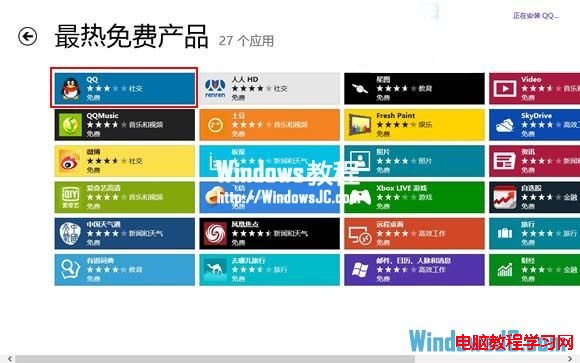
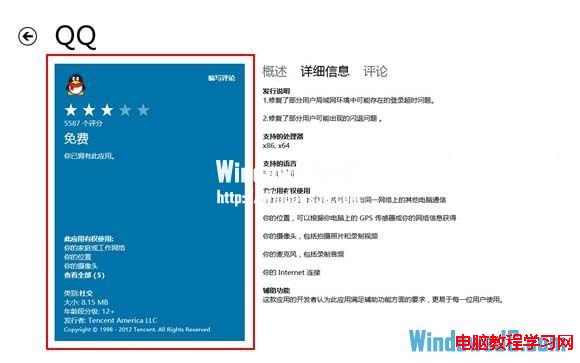
Windows 8 應用商店中 QQ 似乎下架,實則藏在「最熱免費」榜單首位。簡單三步即可找到並安裝。
提醒:此版本功能極精簡 (僅基本聊天、收發圖片/語音),完整功能請下載桌面版 QQ。
Win8 開啟圖片提示「在停用 UAC 時無法啟動此應用程式」解決辦法
Windows CMD 常用指令大全:系統管理、網路、磁碟、檔案操作速查表
微軟確認:Win10 免費升級後同裝置可任意執行乾淨安裝
Windows Server 2003 記錄遠端桌面登入 IP 批次檔實作
Win10 安裝更新補丁失敗 0x80070002?SFC 修復與群組原則控制更新
Win7 開機顯示「正在設定 Windows Update 請勿關機」兩種關閉方法
Win10 應用程式安裝位置怎麼改?兩種方法讓 App 裝到 D 槽或外接硬碟
Windows 7 無法在同一視窗開啟多個資料夾解決方案:資料夾選項設定與登錄修復雙管齊下