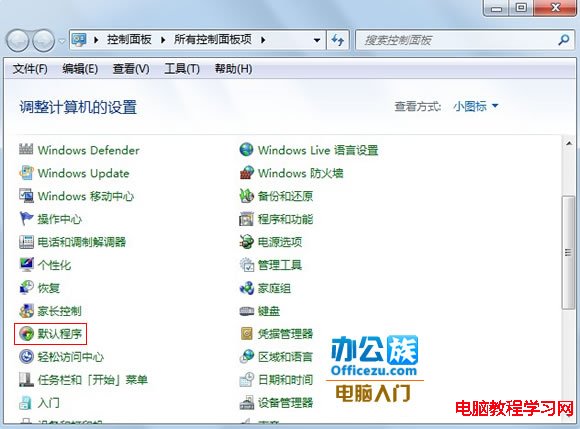
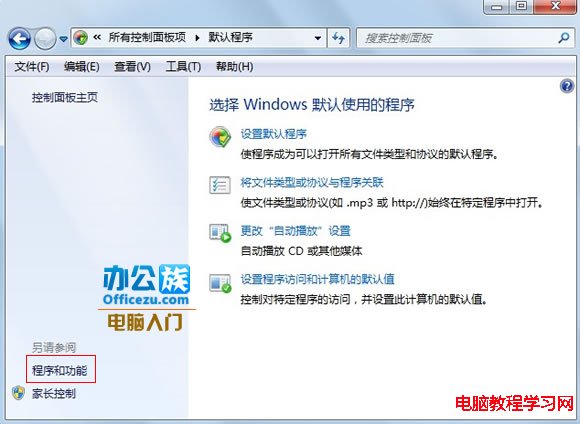
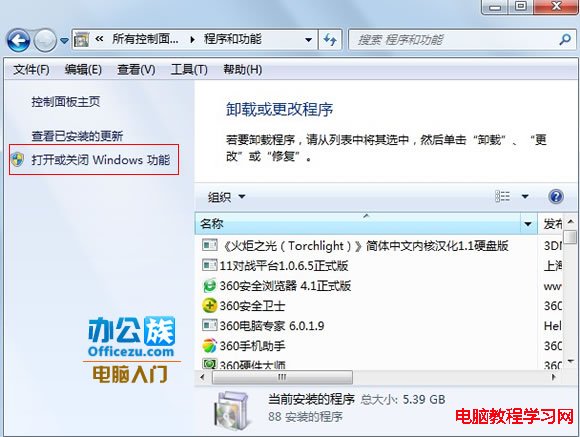
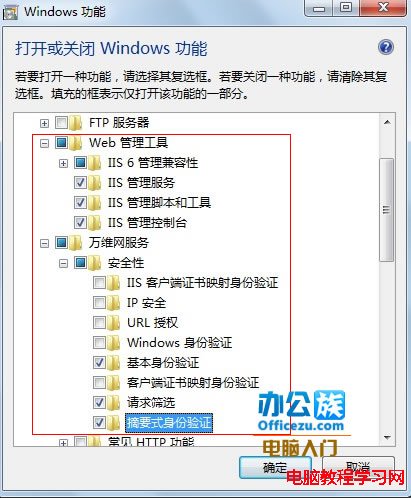
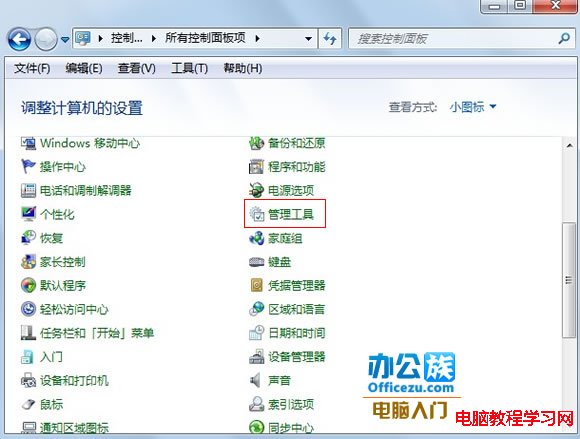
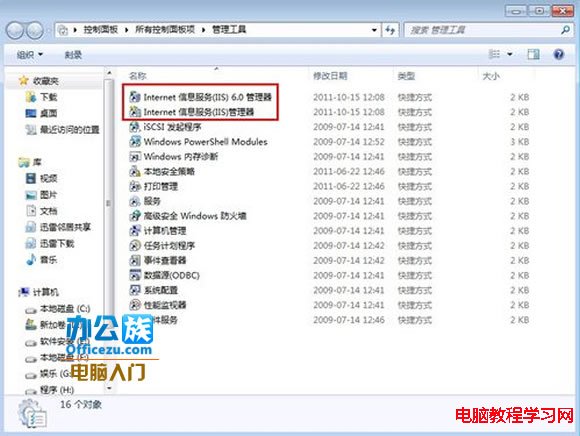
Win7 架設 IIS 伺服器步驟:
圖文並茂,網站/伺服器營運人員必收藏。
Windows 10 開始選單概念設計:融合 Win7 傳統與 Win8 磚狀,你喜歡這樣的版本嗎?
Win10 如何設定登入密碼策略?強制定期更換與複雜度需求完整教學
Windows 10 更新後開機變慢 (30 秒+) 四大優化方案:msconfig、啟動修復、快速啟動、群組原則
Windows 7 使用命令提示字元快速建立/刪除環境變數
Win7 使用印表機掃描文件:「裝置與印表機」右鍵開始掃描,儲存為影像檔
Win10 Build 10074 夜間模式啟用教學(含影片下載連結)
Windows RT 8.1 開始選單/畫面切換 Win10 風格教學:Update 3 (KB3033055) 完整解析
Build 2016 前瞻:微軟高調預告 Windows 10 紅石版將推「顛覆性」新功能