Windows 8 預設點擊連結可能以 Metro 版 IE10 開啟(全螢幕無工具列)。若習慣桌面版 IE,可設定強制所有連結在桌面模式開啟。
操作步驟
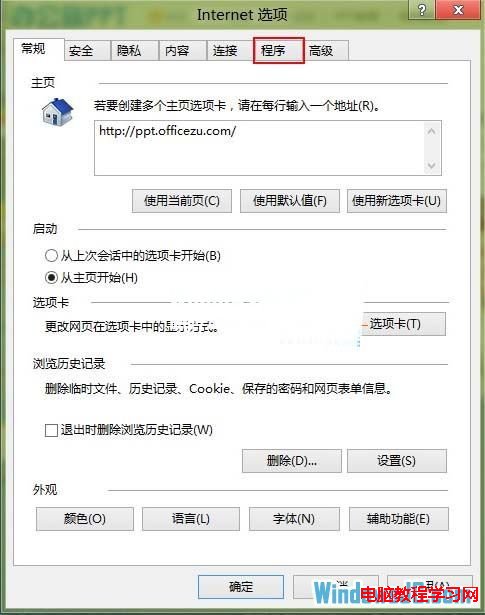
- 開啟桌面版 IE10,點選右上角齒輪 → 「網際網路選項」 → 「程式」索引標籤。
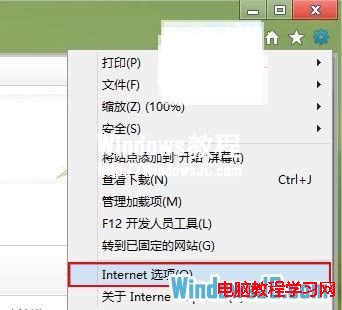
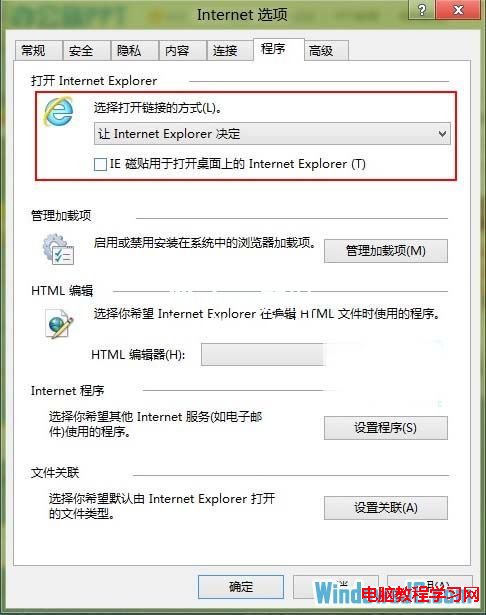
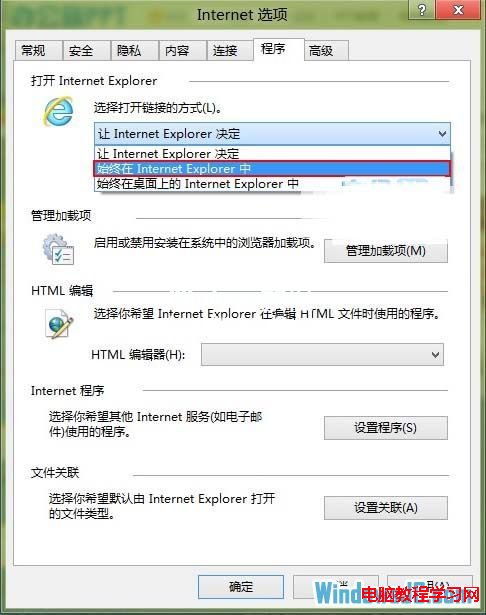
- 在「選擇如何開啟連結」下拉選單選擇「永遠在 Internet Explorer 中開啟」。
- 勾選「讓 Internet Explorer 磚在桌面上開啟 Internet Explorer」。
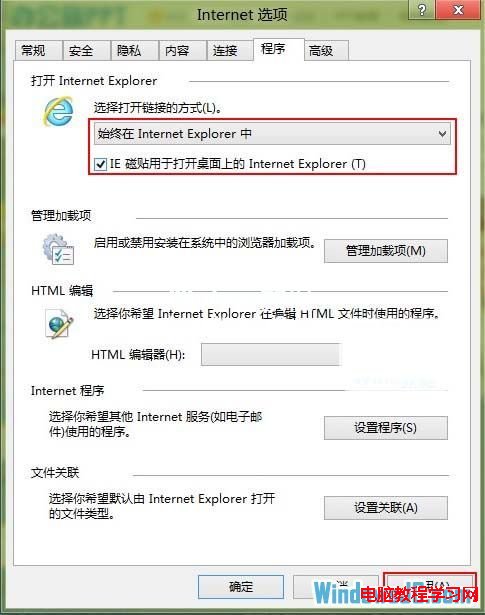
- 確定套用,之後來自郵件、文件、聊天軟體的連結皆會在桌面版 IE 開啟。
此設定不影響 Metro 版 IE 本身,僅改變外部連結的預設開啟行為。