Windows 8 升級後,部分舊版程式或遊戲可能無法直接執行。透過「相容性」設定模擬舊版 Windows 環境,多數相容性問題皆可解決。
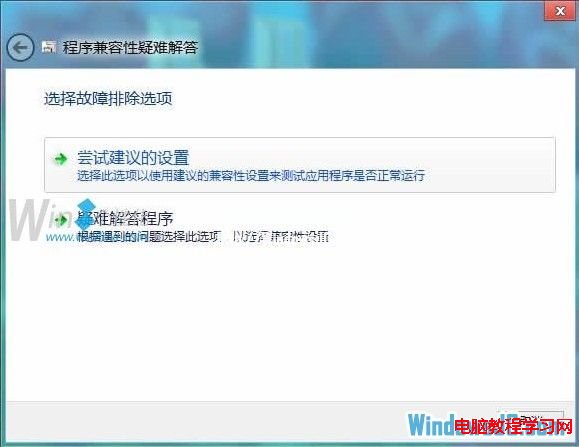
此功能同樣適用於 Windows 7/10/11。若相容模式仍失效,可嘗試安裝虛擬機(如 VirtualBox)安裝舊版 Windows 運行。
電腦 CPU 使用率飆高至 100% 完整排查指南:進程定位、病毒查殺、驅動認證、防毒軟體調整、Svchost 分析
Win10 Mobile Build 10080 因多項 Bug 取消慢速通道推送,下一版再更新
Win8.1 無法識別 DVD 光碟機且提示無法驗證數位簽章?一條 CMD 指令搞定
Win10 Mobile 週年更新預覽版 14390 更新內容與修復彙整
Win10 Mobile 14946 升級錯誤 0x80188319?微軟已修復,裝語言包用戶可再嘗試更新
Windows 7 IPv6 支援現狀分析:隨機介面識別碼、NDP、SEND 安全性缺口與修正指令