Win7 工作列右鍵提供三種視窗自動排版模式,多視窗作業時一鍵整理,無需手動拖拉調整大小位置。
三種模式
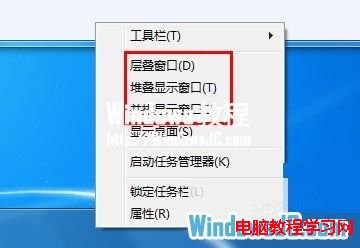
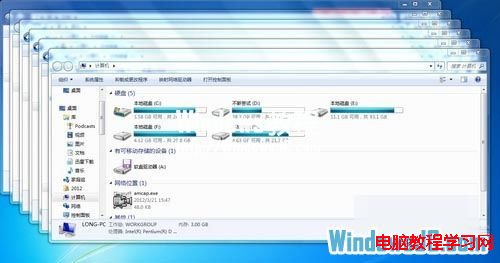
- 疊層視窗:所有視窗標題列對齊呈階梯狀,適合快速切換參考。
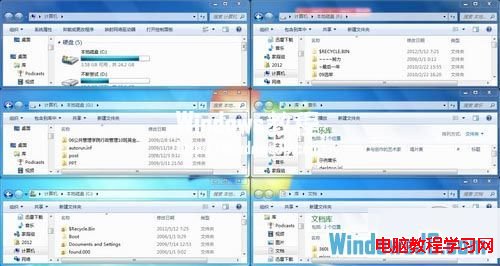
- 垂直堆疊:視窗左右分欄、上下平均分配高度,適合上下對照文件。
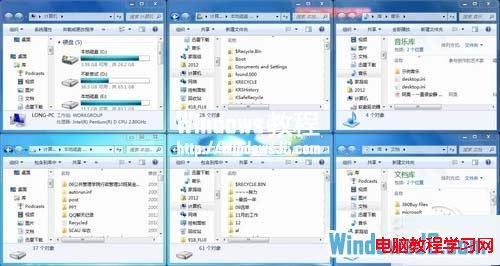
- 並排顯示:視窗上下分欄、左右平均分配寬度,適合左右對照程式碼/文件。
操作方式
工作列空白處右鍵 → 選擇上述任一模式,即時套用至所有開啟視窗。
鍵盤快速鍵補充
- Win+Left/Right:當前視窗靠左/靠右佔半螢幕(Aero Snap)。
- Win+Up:最大化;Win+Down:還原/最小化。
- Win+Shift+Left/Right:跨螢幕移動視窗(多螢幕)。