忘記 Wi-Fi 密碼需分享給他人或重新連線時,Win7 可直接查看已儲存設定檔的密碼。
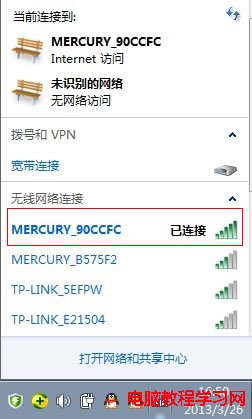
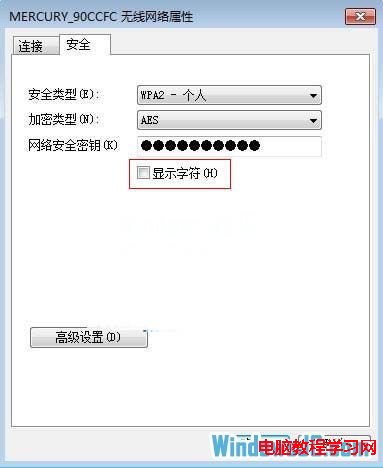
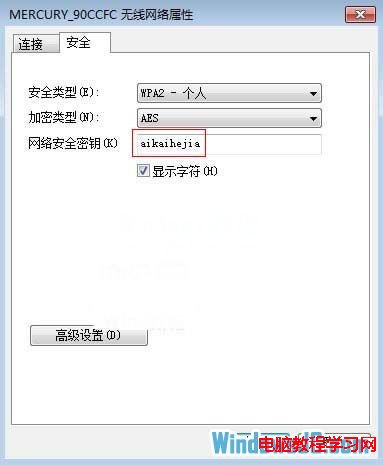
補充: 命令列查看所有設定檔密碼:管理員 CMD 執行
netsh wlan show profiles列出名稱,再netsh wlan show profile name="設定檔名" key=clear,Key Content欄即為密碼。Win8/10/11 操作相同。
Win10 10122 更新內容匯總:開始菜單/平板模式/Edge/默認應用/Insider Hub 全面升級
Windows 10 通用應用程式批次更新:修正錯誤與效能提升
Windows 10 正式版何時升級?各國當地 29 號 0 點開始推送,美東時間 28 日晚 9 點
Win7 登錄檔開啟立體聲混音:注冊表新增二進位值啟用內錄功能
Win10 如何攔截優酷視頻廣告?360 安全瀏覽器 + Adblock 擴充套件一鍵淨化觀影體驗
Windows 8 開啟磁碟管理工具三種方法:分割、擴充、格式化全搞定