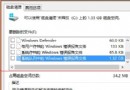
第三方清理工具易誤刪關鍵檔,內建磁碟清理最安全。建議搭配雲端硬碟(OneDrive、Google Drive 等)存放照片、文件,並用 MultCloud、FileGee 等多雲端管理工具整合。
Windows 10 將輸入法切換熱鍵改回 Ctrl+Shift 完整教學
Win10 後續預覽版不再內建或提供啟動金鑰:必須擁有合法 Win10 裝置才能測試
Windows 8 安裝後必做 8 大優化設定:關機捷徑、混合開機、Superfetch、自動登入…
Win7 鎖定電腦快速鍵是什麼?Win+L 一鍵鎖定,或控制台電源選項設定喚醒需密碼
Win8 誤點高對比度主題怎麼復原?個人化更換一般主題即可
Windows 10 版本差異:家庭版強制自動更新、專業版可延遲 8 個月、企業版可選擇僅安裝安全更新(LTSB)
AMD CEO 證實:微軟將於 7 月底正式發布 Windows 10,搶返校商機
Win10 RTM 正式版 Build 10240 更新內容詳解 32 項修復、激活機制變化