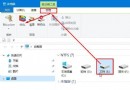
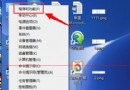
輸入法圖示消失常因工具列設定被關閉或病毒破壞。六法依序嘗試:
ctfmon 或瀏覽 C:\Windows\System32\ctfmon.exe 執行。regedit → HKEY_CURRENT_USER\Software\Microsoft\Windows\CurrentVersion\Run → 新字串值 ctfmon.exe = C:\Windows\System32\ctfmon.exe → 重開機。通常前三法即可解決,若中毒建議先全盤掃毒再嘗試。
Windows 7 查看詳細系統版本號:slmgr.vbs 參數完整說明
Win7 自行優化開機速度:msconfig 縮短等待 + 啟用多核心引導
Win10 正式上市滿月:全球安裝量破 7500 萬,中國份額僅 3.18% 遠落後 Win7/XP
Windows Server 2003/2008 遠端桌面修改密碼:兩代系統統一操作入口
Win10 應用程式商店更新 2015.9.9.2 版:修復閃退崩潰、運行更穩定、支援海外區域影音免費資源
Win10 9901 启用 Cortana 小娜桌面版方法:区域改为美国 + 重启 + 登录微软账户