Windows XP Windows 7 Windows 2003 Windows Vista Windows 綜合教學 Linux 系統教學
Windows 10 Windows 8 Windows 2008 Windows NT Windows Server 電腦軟體教學
您现在的位置: Windows教程網 >> Windows教程 >  >> Windows 綜合教學 >> 關於 Windows

Windows 7 新增右鍵選單「管理員取得所有權」一鍵解決權限不足

編輯:關於 Windows

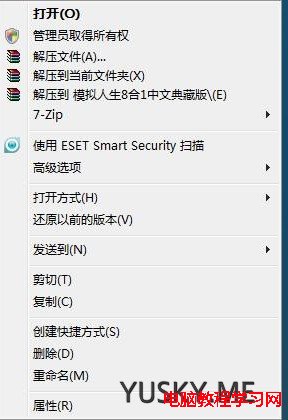
Windows 7 / Vista 之後,修改系統檔案、資料夾常遇到「權限不足」需手動調整安全性頁籤,步驟繁瑣。匯入登錄檔新增右鍵選單「管理員取得所有權」,一鍵取得檔案/資料夾完整控制權。

使用方法

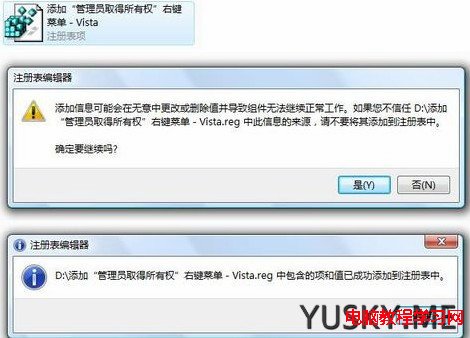
  1. 下載附件登錄檔 (如 TakeOwnership.reg),雙擊匯入登錄檔。
  2. 之後對任何檔案/資料夾右鍵,即可看到「管理員取得所有權」選項。
  3. 點選後會彈出 CMD 視窗執行 takeown 與 icacls 指令,完成後即擁有完全控制權限。

安全提醒:使用 Administrator 帳號登入並開啟此功能會降低系統安全性 (IE 保護模式失效)。建議使用標準使用者帳號日常操作,僅在需要修改系統檔案時以右鍵選單提權處理。

Copyright © Windows教程網 All Rights Reserved