Windows XP Windows 7 Windows 2003 Windows Vista Windows 綜合教學 Linux 系統教學
Windows 10 Windows 8 Windows 2008 Windows NT Windows Server 電腦軟體教學
您现在的位置: Windows教程網 >> Windows教程 >  >> Windows 綜合教學 >> 關於 Windows

安裝 Win7 還原 C 槽提示「Usage error 10100 Invalid switch」?重命名映像檔檔名純英數、或將 GHO 放非 C 槽根目錄

編輯:關於 Windows

使用 Ghost 還原 Win7 系統時,出現 Usage error 10100 Invalid switch,通常是映像檔檔名包含中文/特殊符號、或檔案放在 C 槽導致路徑解析錯誤。兩種解法:

方法一:重命名映像檔為純英數字元

  • 將 Win7.gho 或壓縮包解出的映像檔,重命名為純英文字母、數字組合(如 win7_2023.gho),避免中文、空格、特殊符號。
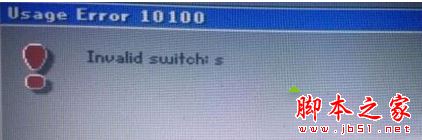
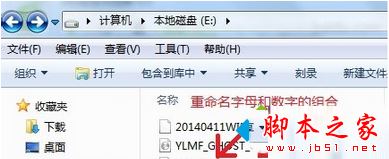
錯誤畫面

重命名檔案

方法二:將 GHO 檔放在非系統碟根目錄

  • 解壓縮後,將 Win7.gho 複製到 D、E、F 槽根目錄(非 C 槽),Ghost 還原時指定該路徑。
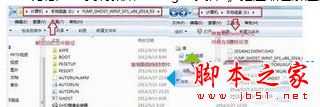
複製到D槽根目錄

延伸閱讀

Ghost 還原對路徑解析較敏感,純英數檔名 + 非系統碟根目錄是避免此類錯誤的最佳實踐。操作前請確認已備份重要資料。

Copyright © Windows教程網 All Rights Reserved