Windows XP Windows 7 Windows 2003 Windows Vista Windows 綜合教學 Linux 系統教學
Windows 10 Windows 8 Windows 2008 Windows NT Windows Server 電腦軟體教學
您现在的位置: Windows教程網 >> Windows教程 >  >> Windows 綜合教學 >> 關於 Windows

Win7 64 位安裝 PL/SQL Developer 連接 Oracle:需 32 位 Instant Client 配置 OCI Library

編輯:關於 Windows

PL/SQL Developer 僅有 32 位版,在 Win7 64 位連接 Oracle 需搭配 32 位 Oracle Instant Client,並正確指定 OCI Library 路徑。

完整配置步驟

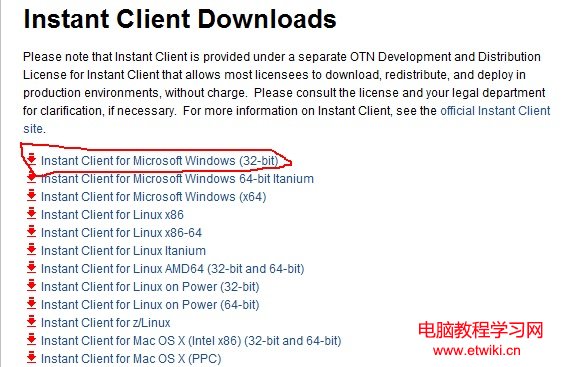
  1. 下載 32 位 Instant Client (basic + sqlplus 套件),解壓至任意路徑 (如 F:\TOOLS_APP2),無需安裝。
  2. 建立網路設定:在解壓目錄下建立 NETWORK\ADMIN 兩層資料夾,建立 tnsnames.ora 填入連線字串 (HOST、PORT、SERVICE_NAME)。
  3. 安裝 PL/SQL Developer:路徑勿含括號、勿安裝在 Program Files (x86)。
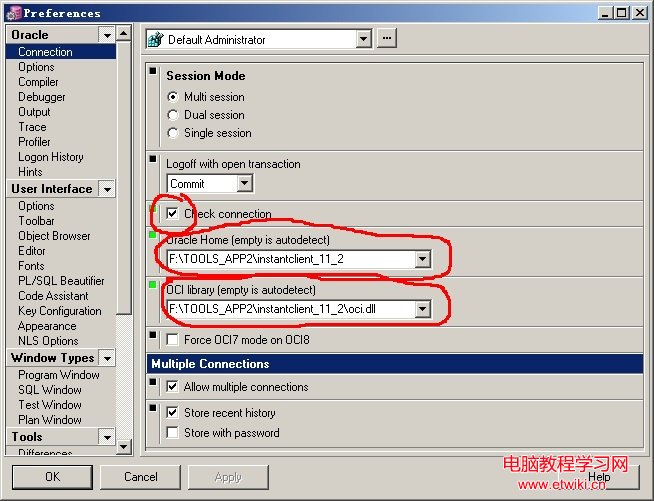
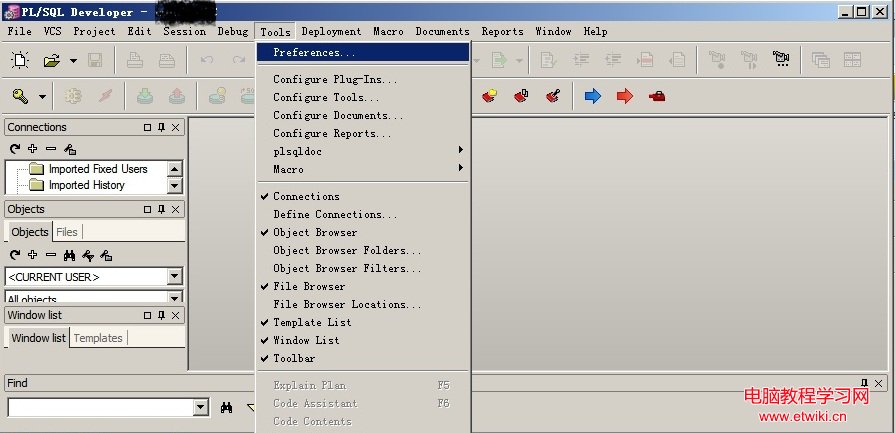
  4. 配置 PL/SQL:未登入狀態開啟 → Tools → Preferences → 設定 Oracle Home 與 OCI Library 指向 Instant Client 目錄 (如 F:\TOOLS_APP2\oci.dll)。
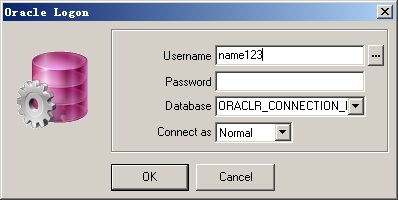
  5. 重新開啟 PL/SQL 登入,應可正常連線。
  6. 若提示 NLS_LANG 未設定:命令列執行 set NLS_LANG=american_america.AL32UTF8。
Instant Client 下載頁面
PL/SQL Preferences 介面
Oracle Home OCI Library 設定
登入成功畫面

關鍵點:32 位 PL/SQL 必須搭配 32 位 Instant Client,OCI Library 路徑必須精確指向 oci.dll。

Copyright © Windows教程網 All Rights Reserved