Windows XP Windows 7 Windows 2003 Windows Vista Windows 綜合教學 Linux 系統教學
Windows 10 Windows 8 Windows 2008 Windows NT Windows Server 電腦軟體教學
您现在的位置: Windows教程網 >> Windows教程 >  >> Windows 綜合教學 >> 關於 Windows

Windows 7 設定 IIS 7 解決 HTTP 404.3 錯誤 (安裝伺服器端包含功能)

編輯:關於 Windows

錯誤畫面

HTTP 錯誤 404.3 - Not Found
因擴充功能設定問題無法提供頁面。若為指令碼需新增處理常式,若為檔案下載需新增 MIME 對應。

解決方法:安裝 IIS 「伺服器端包含」功能

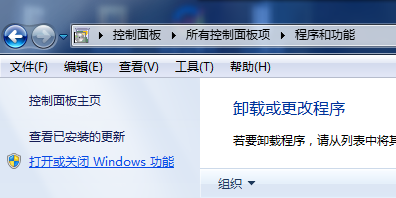
  1. 控制台 → 「程式和功能」 → 「開啟或關閉 Windows 功能」。
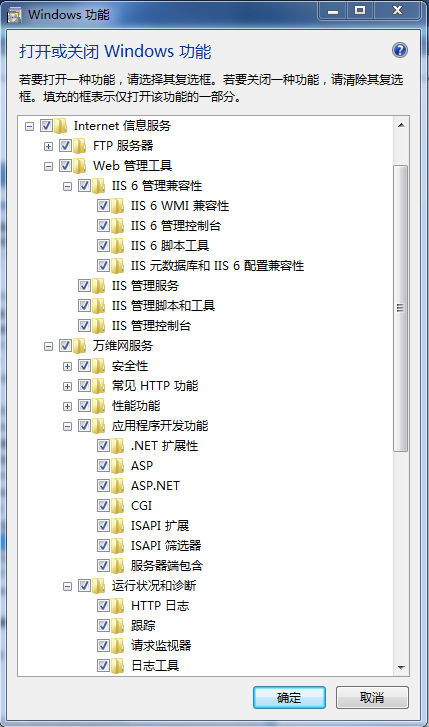
  2. 展開:Internet Information Services → World Wide Web Services → Application Development Features。
  3. 勾選 Server-Side Includes (伺服器端包含)。
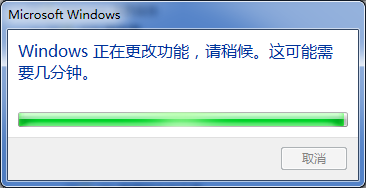
  4. 確定安裝,完成後重新整理網頁即可正常顯示 .shtml/.stm 等包含伺服器端指令的頁面。
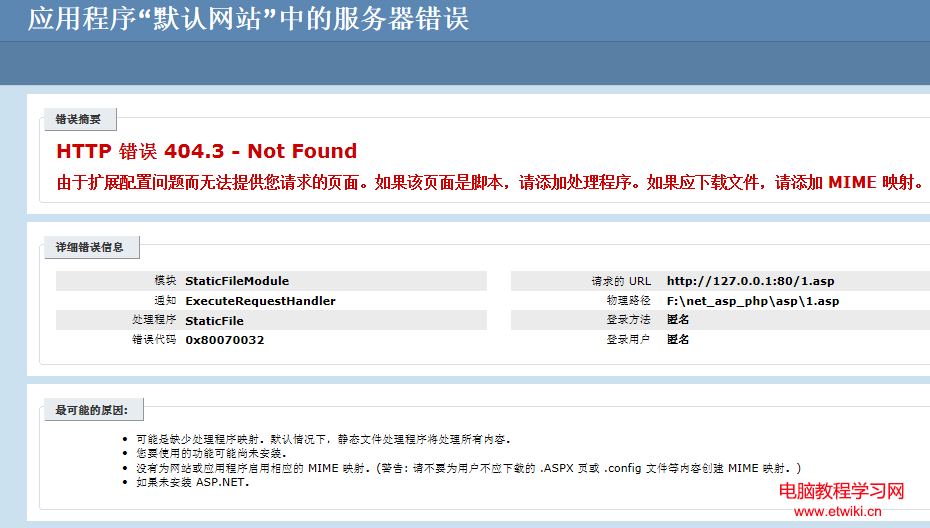
HTTP 404.3 錯誤畫面
開啟關閉 Windows 功能
勾選伺服器端包含
儲存功能變更
Copyright © Windows教程網 All Rights Reserved