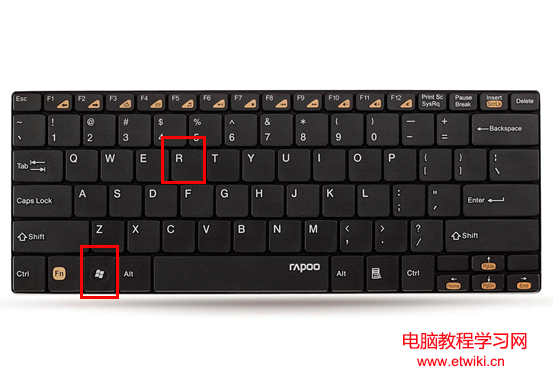
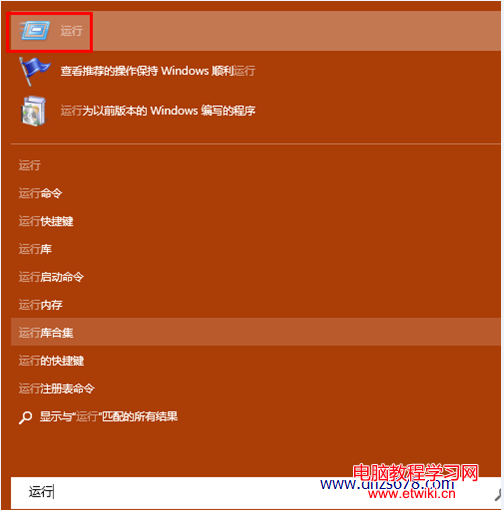
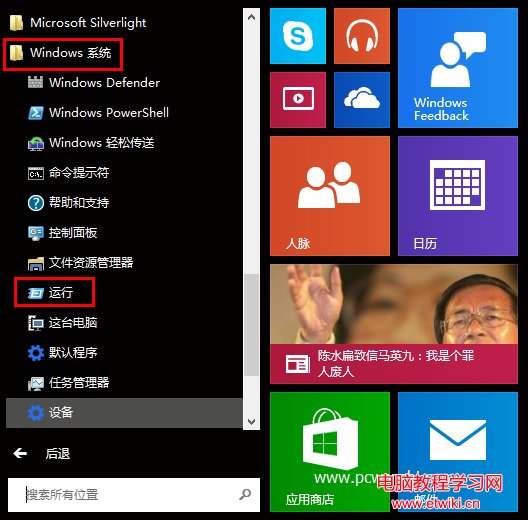
Win10 開始選單改版,「執行」不再直接顯示,三種快速叫出法:
建議養成 Win+R 肌肉記憶,最高效。
Win7 提示「此 Windows 副本不是正版」:SLMGR -REARM 延長授權或 OEM 激活工具永久激活
Win10 Build 14267 截圖欣賞:貼心功能大展示
部分 Win10 用戶遭遇閃屏無法使用 微軟給出解決方案
Win10 桌面版 14316 推送 Fast Ring:Linux Bash、深色模式、Edge 擴充、小娜跨裝置等重磅功能上線
Win10 IIS 未註冊 .NET Framework 4.0?先裝 IIS 再裝 VS 避免版本衝突
Windows 8 以「Windows 相片檢視器」開啟圖片,取代全螢幕現代應用
Windows 10 安裝 Python 2.7.10 圖文教學
Win10 64 位元安裝更新 KB3105213 失敗並反覆重試?安全模式下用 DISM 手動安裝離線套件解決