Windows XP Windows 7 Windows 2003 Windows Vista Windows 綜合教學 Linux 系統教學
Windows 10 Windows 8 Windows 2008 Windows NT Windows Server 電腦軟體教學
您现在的位置: Windows教程網 >> Windows教程 >  >> Windows 綜合教學 >> 關於 Windows

Win7 右鍵選單缺少「新增」選項?一行指令修復登錄恢復新建功能

編輯:關於 Windows

Win7 桌面或資料夾空白處右鍵,「新增」子選單消失,通常是登錄鍵值 HKEY_CLASSES_ROOT\Directory\Background\shellex\ContextMenuHandlers\new 遺失或損毀。快速修復方法:
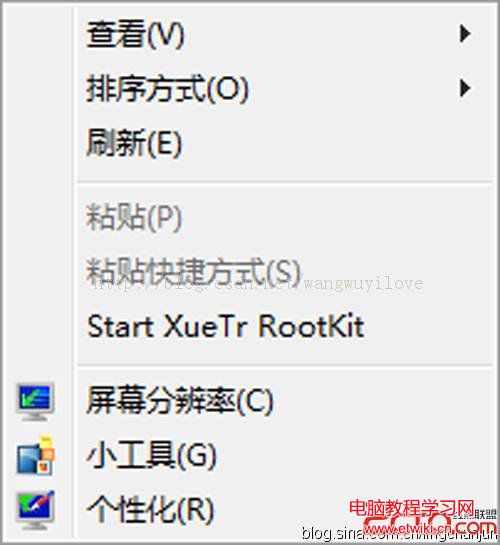
右鍵選單缺少新增選項

修復步驟

  1. 按 Win + R 開啟「執行」,輸入 notepad 開啟記事本。
  2. 貼入以下指令:
    reg add HKEY_CLASSES_ROOT\Directory\Background\shellex\ContextMenuHandlers\new /ve /d {D969A300-E7FF-11d0-A93B-00A0C90F2719} /f
  3. 另存為 fix_new.bat(檔案類型選「所有檔案」)。
  4. 雙擊執行 fix_new.bat(建議以系統管理員身分執行),提示「作業成功完成」即修復完成。

重新整理桌面或重新開啟資料夾,右鍵「新增」選單即恢復正常。

Copyright © Windows教程網 All Rights Reserved