Windows 7 內建搜尋功能強大且準確,但部分使用者發現搜尋完全無反應或找不到明明存在的檔案。經排查,多為登錄鍵值 FilterFilesWithUnknownExtensions 異常導致索引器忽略未知副檔名檔案。
regedit 開啟登錄編輯器。HKEY_LOCAL_MACHINE\SYSTEM\CurrentControlSet\Control\ContentIndex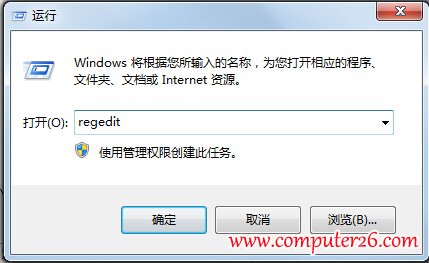
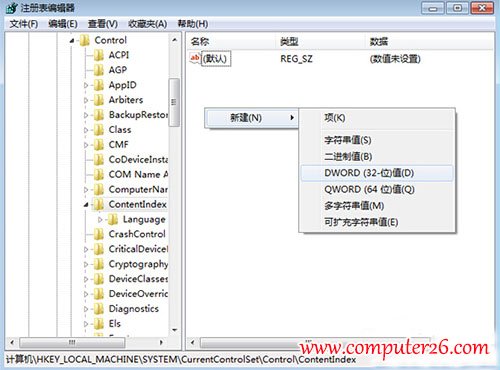

此值預設為 0 時,索引器會略過未註冊關聯應用程式的副檔名檔案;設為 1 強制索引所有檔案,確保搜尋結果完整。若修改後仍異常,建議在「控制台」→「索引選項」中重建索引。
Windows XP 無法安裝 .NET 解決法(另版圖文):同樣停止 WuAuServ、重命名 SoftwareDistribution、註冊表權限全控
Win10 開機顯示「client mac addr...」網卡開機提示?BIOS 關閉網路開機並調整硬碟優先序
Win10 升級報錯「臨時需要 0.00 MB 空間」根因與解法:擴充系統盤至 40GB+
Windows 7 優化調整 10 大實用技巧:加速碎片整理、IE 加載、任務列修復等
XP 瀏覽淘寶無法顯示圖片?清理快取 BAT 腳本 + IE 設定勾選顯示圖片雙重解決