Windows XP Windows 7 Windows 2003 Windows Vista Windows 綜合教學 Linux 系統教學
Windows 10 Windows 8 Windows 2008 Windows NT Windows Server 電腦軟體教學
您现在的位置: Windows教程網 >> Windows教程 >  >> Windows 綜合教學 >> 關於 Windows

裝機吧 USB 啟動盤製作工具安裝 Win7 圖文教學

編輯:關於 Windows

使用「裝機吧」USB 啟動盤進入 PE 環境,利用內建 GHOST 工具還原 Win7 映像檔(.gho)安裝系統。

操作流程

  1. 啟動 USB 進入「裝機吧」主選單 → 選 【01】進入 2003 版 PE 維護系統。
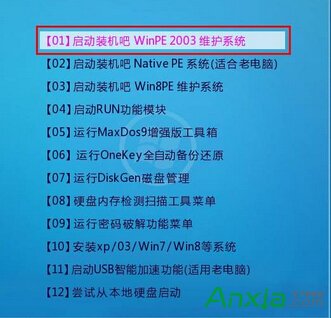
    裝機吧主選單
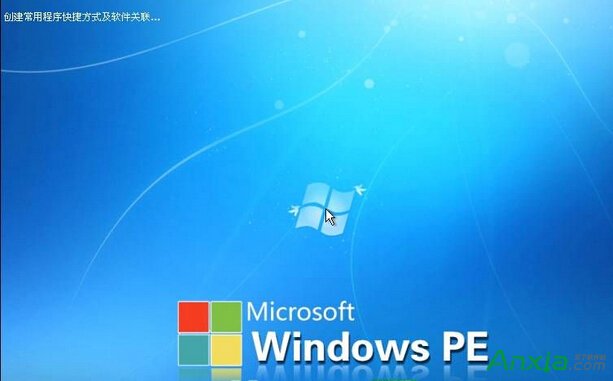
  2. 進入 PE 桌面。
    PE 桌面
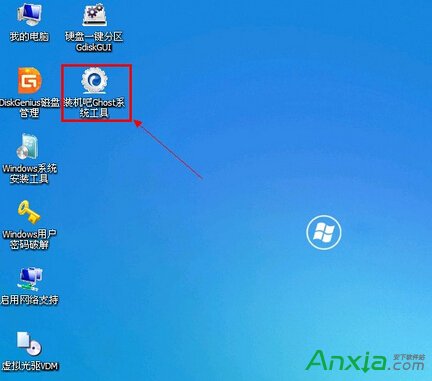
  3. 執行「裝機吧 GHOST 系統工具」。
    GHOST 工具
  4. 選 還原分區 → 選取 .gho 映像檔 → 選取目標分區(通常 C:) → 確定開始還原。
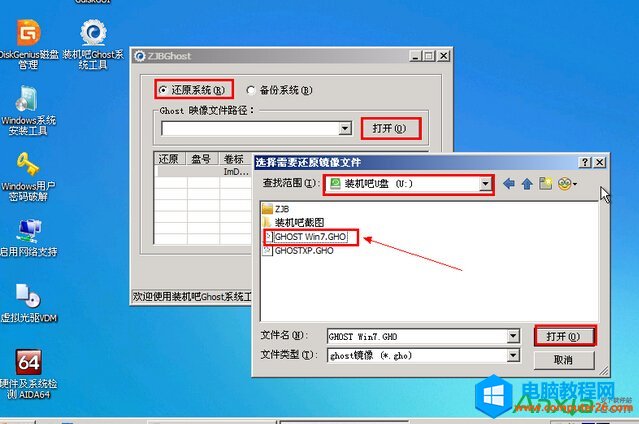
    選擇映像檔與分區
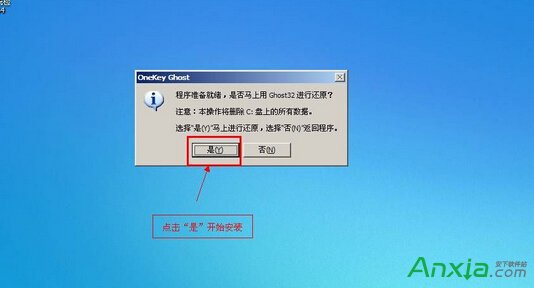
  5. 提示確認 → 選「是」開始。
    確認還原
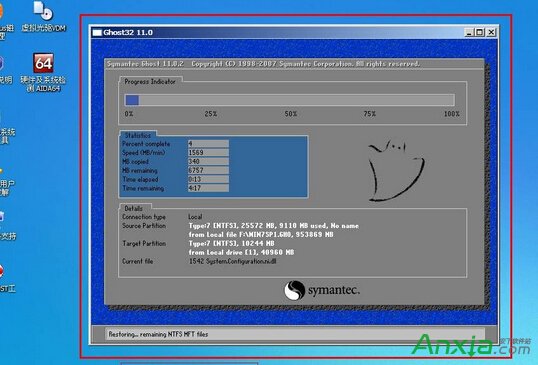
  6. 等待進度條跑完 → 自動重啟進入 Win7 安裝部署階段。
    還原中
    部署安裝
  7. 安裝完成進入桌面。
    安裝完成

此法適合熟悉 GHOST 映像部署的用戶,新手建議使用一鍵重裝工具。
Copyright © Windows教程網 All Rights Reserved