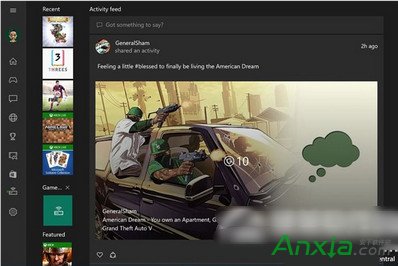
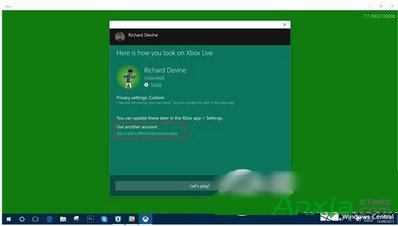
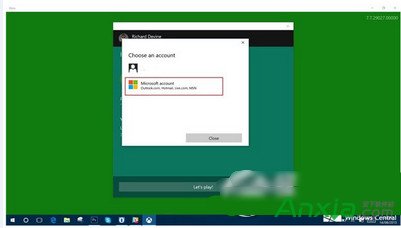
Win10 內建 Xbox App 登入出現 0x800488AB,官方建議去 Xbox.com 登入實測無效。網友實測有效流程:錯誤視窗選「使用其他 Microsoft 帳號登入」→ 避開自動連結的舊帳號 → 選「新的 Microsoft 帳號」重新輸入原帳密。
若此法無效,可嘗試重置 Xbox App(設定 → 應用程式 → Xbox → 進階選項 → 重設)或重裝應用程式。
Win 10 如何開啟桌面預覽 (Aero Peek)?任務列設定一鍵啟用
Win7 設定螢幕自動關閉時間:電源選項完整圖文教學
Windows 8 更新 KB2770917 失敗解決方案:清理啟動服務法
Win10 TH2 10586.318 累積更新 KB3156421 釋出:修正藍牙、小娜、Edge 等穩定性問題
Win10 10158 註冊綁定會員版教學:免費使用一年、接收會員版本更新
Windows 7 滑鼠右鍵無限轉圈無回應?一鍵 .bat 修復右鍵選單 Shell 擴充項目註冊錯誤
Win8 出現 Access Violation At Address 錯誤?為應用程式啟用 DEP (資料執行防護) 即可解決
如何啟用 Win10?專業版/企業版等啟用方法與金鑰整理(僅供技術討論)