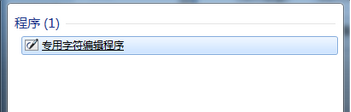
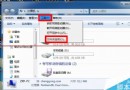
Windows XP 時代的「造字程式」 (TrueType) 在 Windows 7/8/10 已更名為「專用字符編輯程式」,系統內建無需下載:
「開始」選單搜尋框輸入 「專用字符」 → 選擇「專用字符編輯程式」。
工作列搜尋框輸入 「專用字符」 → 選擇「專用字符編輯程式」。
.euf
charmap
不用再到處找「造字程式下載」,系統自帶功能更強大的「專用字符編輯程式」即可滿足自造字需求。
Windows 7 新增區域網路印表機完整設定步驟圖解
Win7 64 位元雙擊所有程式提示「找不到關聯程式」?匯入登錄檔修復 .exe 關聯教學
Win10 輸入法圖示消失怎麼辦?找回語言列完整解決方案
Win7 如何打造 3D 立體桌面?系統內建 DwmApi 快捷方式法、BumpTop 軟體法雙管齊下
Win8 憑證管理器找回瀏覽器儲存的帳號密碼完整教學
Win10 遙測資料四等級完整解析:企業版專屬「安全性」等級 0,一般用戶最低只能設「基本」等級 1
Win8 Wi-Fi 顯示關閉但飛行模式未開啟?無線網卡開關衝突與裝置管理員啟用無線裝置完整排查
Win7 系統提示「系統資源不足」六大成因與對應解決方案