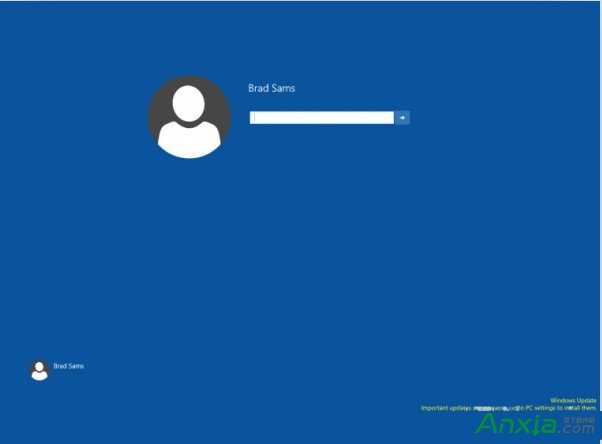
Windows 10 早期版本 (Build 9926) 隱藏全新登入介面,透過註冊表修改即可啟用體驗:
regedit
HKEY_LOCAL_MACHINE\SOFTWARE\Microsoft\Windows\CurrentVersion\Authentication\LogonUI\TestHooks
Threshold
0
1
注意:此為早期預覽版隱藏功能,正式版已整合預設啟用,現代 Windows 10 版本無需此操作。文章僅供技術研究參考。
重裝 Windows 7 提示「Windows 無法完成安裝」解決方案
Win7 360 瀏覽器閃退解決方案:完整移除重裝教學
Windows 7 建立寬頻撥號連線 (PPPoE) 完整圖文教學
Win8 開機藍畫面 0x0000008E 解決方法:記憶體、硬碟、磁碟碎片整理
Win10 電腦發簡訊提示「無可用手機」?同步訊息功能修復三步走
Win10 開始選單、工作列出現亂碼重疊?重啟總管或移除衝突軟體
Windows 7 旗艦版修復硬碟分區圖示異常:兩種解決方法(autorun.inf / 磁碟管理)
Win8 第三方 INF 驅動簽名無效?進入進階啟動選項停用強制簽名即可安裝