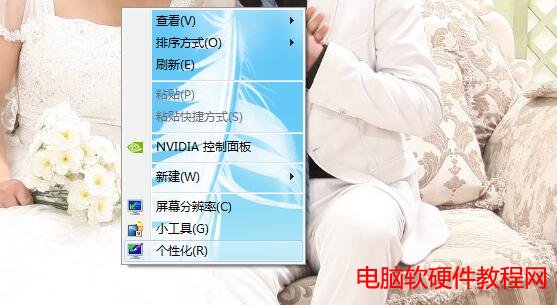
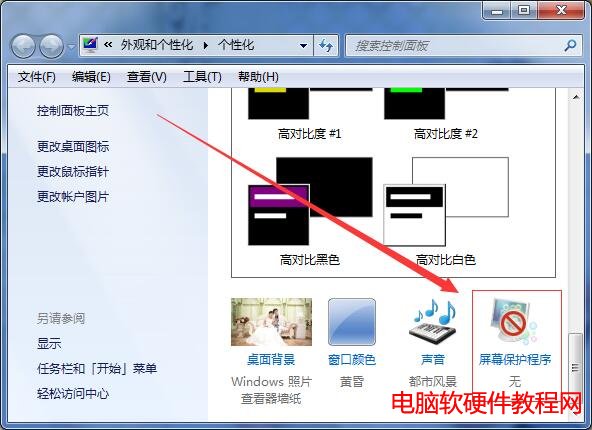
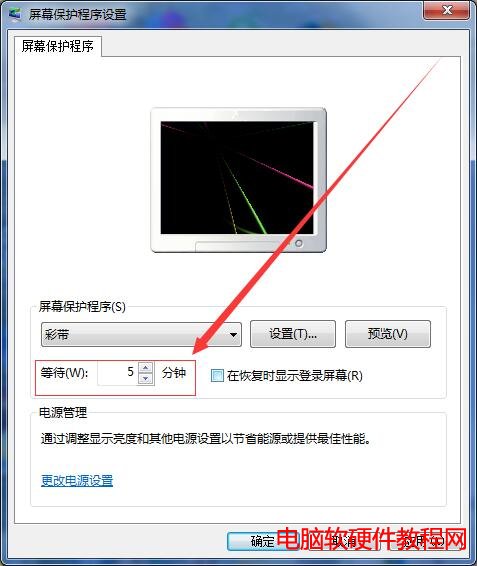
Win7 螢幕保護程式等待時間預設可能過短,調整步驟簡單,同樣在「個人化」介面完成。
勾選「顯示登入畫面」可作為簡易鎖定功能,離位自動啟動螢幕保護並需密碼解鎖,資安與省電兼顧。
Windows 10 正式版 10586 累積更新修復 KB3140742 問題(官方下載)
XP 所有使用者帳號都被停用無法登入怎麼辦?ERD Commander 修改登錄表啟用 Administrator
徹底清除 Win7 通知區域殘留圖示:註冊表二鍵值搞定
Win7 記事本快速插入當前時間小技巧:輸入 .LOG 或按 F5 鍵
Windows 10 修改預設鎖定畫面壁紙:透過登錄指定自訂圖片路徑
Win10 Spartan 瀏覽器整合小娜 功能詳解:自動提供商家資訊、支援 Ask Cortana 詢問釋義
奇怪的 Windows 7 安裝錯誤:選擇地區即可解決
Win10 Build 10240.16425 中文專業版原版 ISO 系統鏡像下載