Windows XP Windows 7 Windows 2003 Windows Vista Windows 綜合教學 Linux 系統教學
Windows 10 Windows 8 Windows 2008 Windows NT Windows Server 電腦軟體教學
您现在的位置: Windows教程網 >> Windows教程 >  >> Windows 綜合教學 >> 關於 Windows

Win10 VPN 連線錯誤 720 解決大全:從伺服器端到 TCP/IP 協定重裝

編輯:關於 Windows

VPN 720 錯誤 (無法建立 PPP 控制協定連線) 成因複雜,可能是伺服器端負載、Winsock 損毀、TCP/IP 協定異常。提供分層解決方案。

快速排查

  • 伺服器端問題:連線人數過多、服務異常 → 連絡管理員、多嘗試幾次。
  • 本機寬帶/VPN 伺服器連線正常性確認。

方案一:重裝 TCP/IP 協定 (Win7/8/10 通用核心修復)

  1. Win+R → regedit → 刪除兩個機碼:
    HKEY_LOCAL_MACHINE\System\CurrentControlSet\Services\Winsock
    HKEY_LOCAL_MACHINE\System\CurrentControlSet\Services\Winsock2
  2. 記事本開啟 %windir%\inf\nettcpip.inf (隱藏資料夾需先設定顯示) → 找到 [MS_TCPIP.PrimaryInstall] 區段 → Characteristics = 0xa0 改為 0x80 → 存檔。
  3. 「網路連線」 → 區域連線右鍵「內容」 → 「安裝」 → 「協定」 → 「從磁碟」 → 瀏覽選取修改後的 nettcpip.inf → 選擇「TCP/IP 協定」 (非 TCP/IPv6) → 確定安裝。
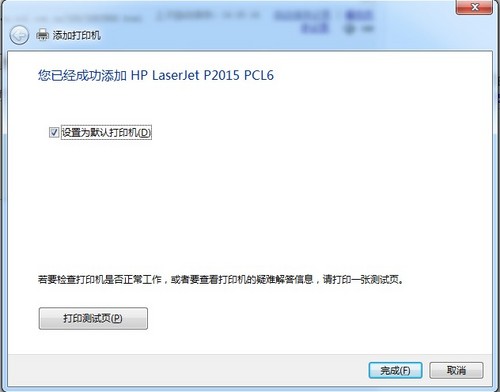
  4. 安裝完成後,同視窗點選「TCP/IP 協定」 → 「解除安裝」 → 重開機。
  5. 重開機後重複步驟 3 再安裝一次 TCP/IP 協定 → 再重開機 → 設定 IP 位址測試。

此法重建 TCP/IP 協定堆疊,解決 90% 以上 720 錯誤。操作涉及登錄與系統檔修改,建議先建立還原點。

Copyright © Windows教程網 All Rights Reserved