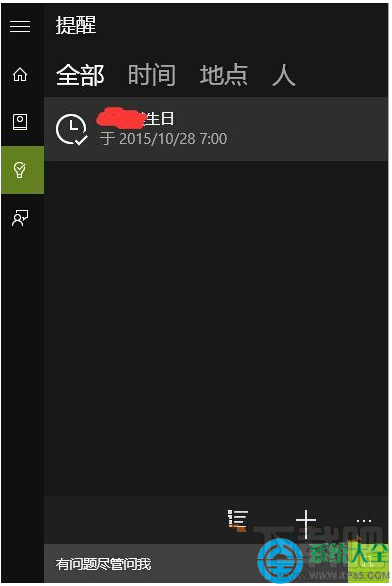
Win10 小娜整合行事曆提醒,若不想看到特定事件,可直接在小娜介面刪除或標記完成。
完成的事件會移至歷史紀錄,刪除則永久移除。若要關閉所有提醒功能,可在小娜設定中關閉「提醒」開關。
Windows 7 一鍵關閉所有程式解決死機卡頓:建立 taskkill 捷徑指定排除 explorer.exe 與 dwm.exe
Win10 虛擬桌面實戰:跨桌面移動應用程式與快速切換技巧
Win10 週年更新累積更新 KB3206632 及 12 月全補丁獨立下載匯總
Win10 內建行事曆顯示農曆/干支曆?設定 → 行事曆設定 → 備用行事曆啟用中文農曆,或裝「軟媒時間」任務列顯示農曆天氣
Win7 如何查看硬碟序號?三種工具輕鬆查詢硬碟序列號
Windows 10 移除 WiFi 共享精靈後無法上網解決方案
Windows 10 創作者更新 15014:從 Microsoft Store 下載安裝桌面主題新體驗
Windows 8/8.1 移除 IE11 降級回 IE10 完整步驟