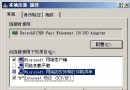
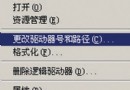
Windows Server 2003 預設僅提供 LPT1~LPT3 三個並行埠。若需連接更多並行列印裝置,可透過修改登錄新增 LPT4 至 LPT9。
regedit,定位至:HKEY_LOCAL_MACHINE\SOFTWARE\Microsoft\Windows NT\CurrentVersion\PortsLPT#(如 LPT4),值資料留空 → 按 Enter。cmd,依序輸入重啟列印佇列服務:net stop spoolernet start spooler注意:登錄編輯風險自負,建議先匯出備份。此法同樣適用於 Windows XP/2000。
Windows Server 2003 群組原則軟體部署實作:以 Adminpak.msi 為例
Windows Server 2003 群組原則與安全性範本進階應用:從建立基線到自動化部署
為 Windows Server 2003 新增系統還原功能的實作教學
Windows Server 2003 搜尋功能限制:開啟檔案無法搜尋關鍵字、WPS 不支援、解決方案
Windows Server 2003 內建 Internet 連線防火牆完整設定教學
Windows Server 2003 無盤啟動部署指南:硬體需求、軟體準備與安裝流程