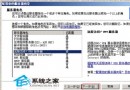
Windows Server 2003 預設未安裝視訊壓縮組件,導致 CS 等遊戲開場動畫無畫面、提示「找不到 vids:cvid 解壓縮程式」。只需從 Windows 2000/XP 複製兩個 DLL 並註冊登錄即可修復。
C:\Windows\System32 複製 ir32_32.dll(Indeo 3.1/3.2)與 iccvid.dll(Cinepak)至本機同目錄;或用安裝光碟 expand D:\i386\ir32_32.dl_ C:\Windows\System32\ir32_32.dll 等指令解壓。regedit,定位 HKEY_LOCAL_MACHINE\SOFTWARE\Microsoft\Windows NT\CurrentVersion\Drivers32,新增三組字串值:
vidc.cvid = iccvid.dllvidc.iv31 = ir32_32.dllvidc.iv32 = ir32_32.dll此修補僅需幾分鐘,即可讓 Server 2003 完整支援舊版視訊編碼格式。
Windows Server 2003 終端服務授權破解實戰 移除 120 天試用限制
將 DHCP 資料庫遷移至 Windows Server 2003:從 NT 4.0/2000/2003 來源完整步驟
將 Windows XP 內建小遊戲(掃雷、接龍、彈珠台)移植至 Windows Server 2003 完整步驟
善用 Windows 2003 內建防火牆:抵禦駭客攻擊的實戰指南
VPN 伺服器原理與 Windows 2000/2003 軟體 VPN 建置指南:PPTP/L2TP/IPSec 通道協定詳解
Windows Server 2003 VPN 伺服器圖文部署完整教學:從 RRAS 精靈到用戶端驗證