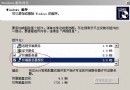
Acer Aspire 4750G 等筆電內建 Atheros AR5B97 無線網卡,在 Windows Server 2003 下裝驅動後裝置管理員仍顯示黃色驚嘆號。根因為 2003 核心對 PCI 資源分配策略與 BIOS 設定衝突,且筆電 BIOS 通常隱藏 PCI 設定選項無法手動調整。透過修改 boot.ini 核心啟動參數即可繞過衝突。
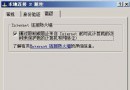
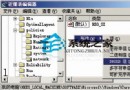
/noexecute=optout (DEP) 影響 PCI 列舉順序,導致無線網卡資源請求失敗。boot.ini 右鍵「內容」→ 取消「唯讀」。boot.ini,找到啟動項列:multi(0)disk(0)rdisk(0)partition(1)\WINDOWS="Windows Server 2003, Enterprise" /noexecute=optout /fastdetect/noexecute=optout 改為 /execute=optin(關閉預設 DEP,改為選擇性啟用)。boot.ini「唯讀」與「隱藏」屬性。/noexecute=optout 啟用硬體 DEP(資料執行防護),核心在啟動早期對記憶體頁面屬性檢查較嚴格,干擾 PCI 設備的 BAR (Base Address Register) 分配。改為 /execute=optin 後,核心僅對明確標記的模組啟用 DEP,PCI 列舉順序恢復正常,無線網卡成功請求到 I/O 連接埠與 IRQ。
Windows Server 2003 終端機服務:連線主控台工作階段 (Session 0) 與 Shadow 隱藏監控完整指令手冊
Windows Server 2003 登入密碼取得技術分析:三種方法原理與風險評估
大容量硬碟相容性全解析:BIOS、晶片組與作業系統三大關鍵因素
Windows Server 2003 快速關機三大招:群組原則、電源鍵、命令列
Windows Server 2003 轉型工作站 25 招極速優化大全
Windows Server 2003 新增 Microsoft Loopback Adapter 虛擬網卡教學