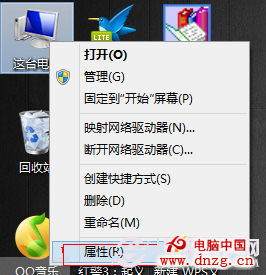
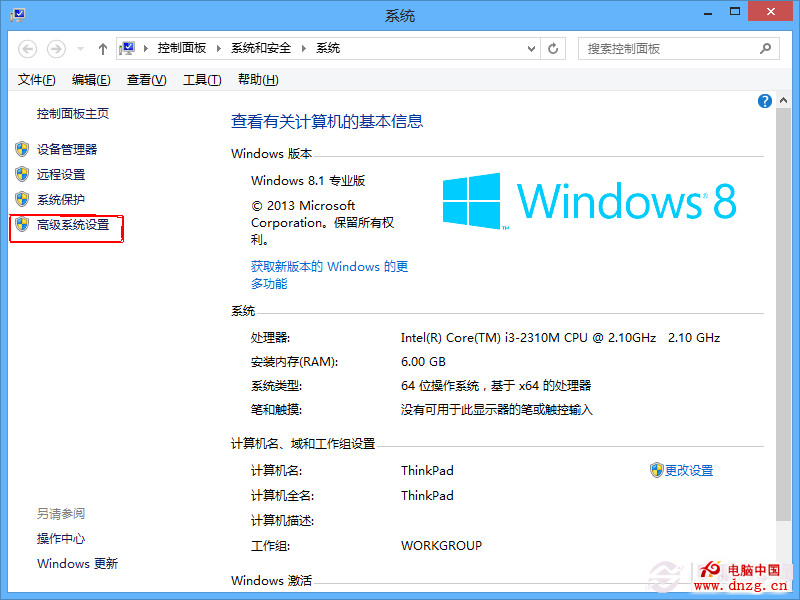
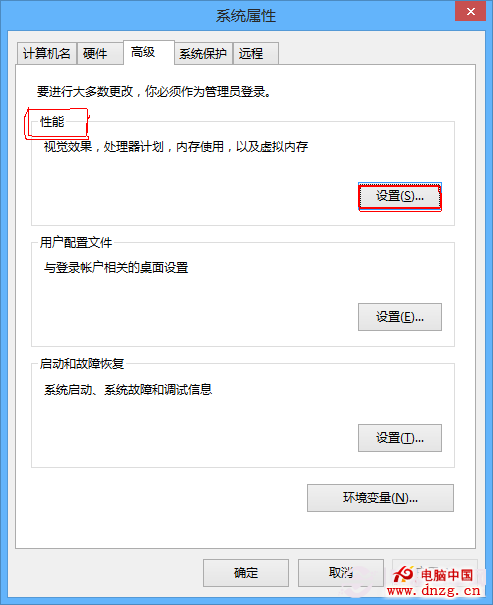
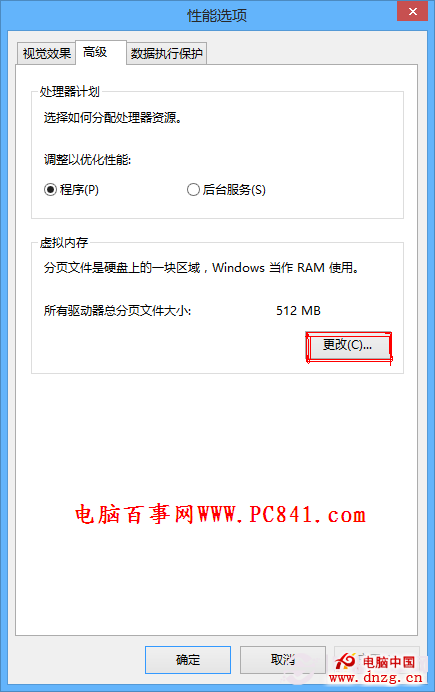
執行大型程式/遊戲時提示虛擬記憶體不足,通常因實體記憶體不足或多工負載過大。Win8/8.1 設定虛擬記憶體路徑:
設定完成重開機生效,緩解記憶體壓力。
Win 10 IP 衝突怎麼解決?手動設定固定 IP 避開 DHCP 衝突
Windows 8 破解側載應用全攻略:原理、流程與自製工具
Win8 大百科第 42 期:應用商店無法連線故障排除——netsh/winhttp/IE Proxy 修復三步驟
Windows 8 網路連線故障完整排除指南:從網路線到 IP 設定逐步排查
Windows 8 上市反而助推蘋果?分析 Metro 介面如何讓用戶轉向 Mac 與 iPad
Windows 8 手動進入進階啟動選項:三種方法進入 WinRE 修復環境
開始按鈕有望回歸?Windows 8.1 或將妥協用戶呼聲
Win8/8.1 進入安全模式三大法:msconfig 引導、高級啟動選單、恢復傳統 F8 選單