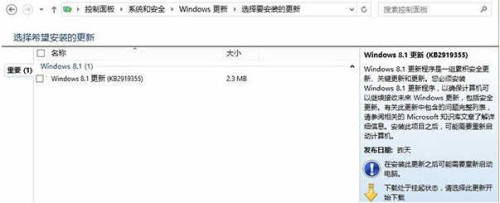
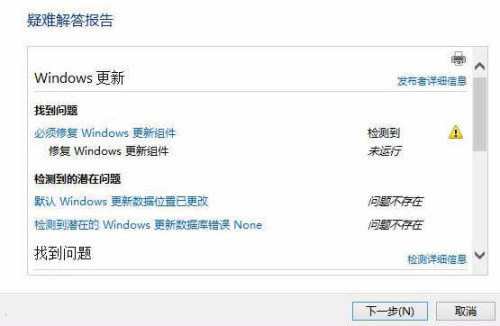
安裝 KB2919355 修復補丁(約 2.3/2.6 MB)升級內建「疑難排解」工具,再執行「Windows Update 疑難排解」自動修復缺失檔案導致的錯誤碼,完成後重新檢查更新即可順利安裝 Update 1。
步驟
- 控制台 → 系統與安全性 → Windows Update → 手動安裝 KB2919355 → 重開機。
- 控制台 → 系統與安全性 → 動作中心 → 疑難排解 → 「Windows Update」 → 執行修復 → 依提示完成。
- 重新開啟 Windows Update 安裝 Update 1。
此法解決因檔案遺失導致的更新失敗,避免重灌系統。