IME(輸入法編輯器)在偵測到無需輸入文字的情境(如純游戲、非文字欄位)時會自動停用,右下角顯示叉號。當焦點移至可輸入區域,系統會自動喚醒。若遇舊版輸入法(Win7 時代)在 Modern 介面下失效導致 IME 停用,建議升級至支援 Win8 並通過數位簽章的新版輸入法。
無法手動強制啟用/停用 IME,屬系統自動管理機制。
為 Win8 開始畫面與桌面打造「一鍵關機」按鈕
Win8 防火牆設定指南:啟用所有網路防護、設定允許應用程式清單、區分公用/專用網路策略
Windows 10 C 槽空間越來越小?移動預設使用者資料夾徹底解決
Win8 採用 OA 3.0 激活技術:徹底封殺傳統 BIOS 模擬破解
Win8 遠端管理 Hyper-V 伺服器認證失敗完整排錯實錄
鮑爾默力挺:Windows 8 是史上最棒的 Windows,需求超越 Win7
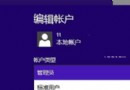
Win8 找不到「使用者和群組」怎麼變管理員?CMD 指令一行搞定
如何查看網路延遲:Windows 內建 ping 指令測試連線品質完整教學