Update 1 在開始畫面右上角新增電源按鈕,但桌面用戶可能視為干擾。透過匯入註冊表機碼可快速切換顯示狀態。
隱藏電源鍵.reg:
Windows Registry Editor Version 5.00
[HKEY_CURRENT_USER\Software\Microsoft\Windows\CurrentVersion\ImmersiveShell\Launcher]
"Launcher_ShowPowerButtonOnStartScreen"=dword:00000000恢復電源鍵.reg:
Windows Registry Editor Version 5.00
[HKEY_CURRENT_USER\Software\Microsoft\Windows\CurrentVersion\ImmersiveShell\Launcher]
"Launcher_ShowPowerButtonOnStartScreen"=dword:00000001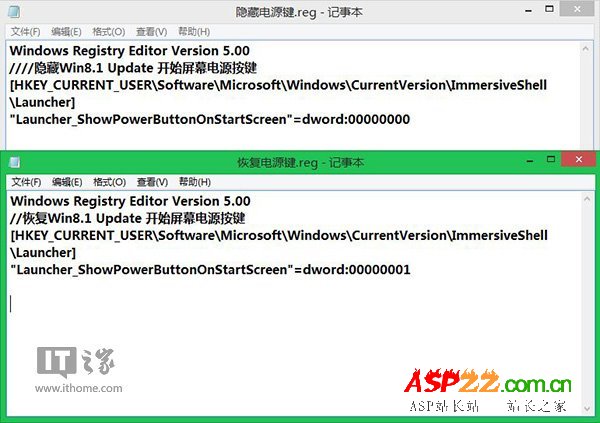
.reg 檔(注意副檔名)。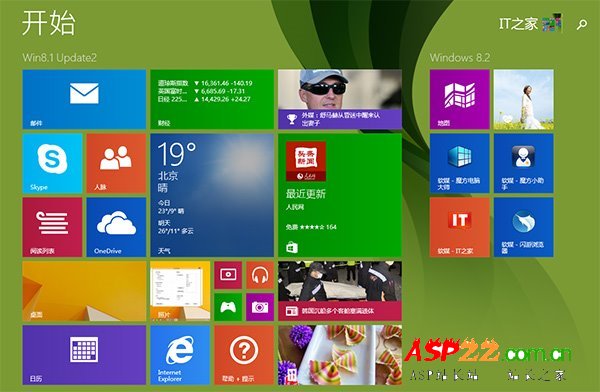
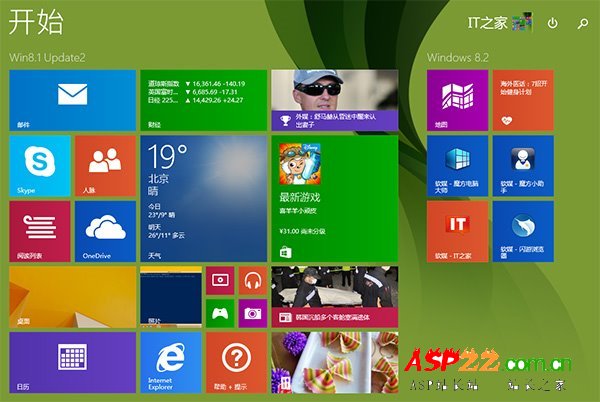
桌面用戶隱藏、平板用戶顯示,隨需切換互不干擾。