UEFI 開機且 Secure Boot 關閉時升級 Win8.1,桌面右下角會出現「Secure Boot 未正確設定」水印。開啟 Secure Boot 卻無法進系統,需在 BIOS 完成金鑰登錄才能兩全。
BIOS 設定步驟(以 HP 為例)
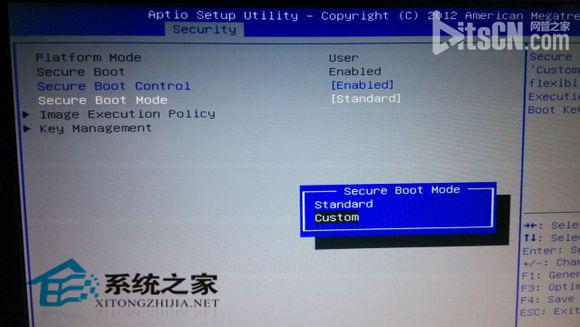
- 進入 BIOS,找到 Secure Boot Mode 改為 Custom,下方選項才可編輯。
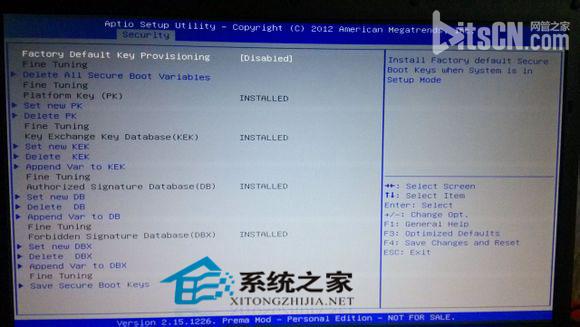
- 進入 Key Management,選 Install All Factory Default Keys,確認 Yes,所有項目右側變為 Installed。
- 回上層將 Secure Boot Mode 改回 Standard,儲存離開重開機。
重開機後水印消失,Secure Boot 正常啟用,系統安全性提升。操作雖需進 BIOS 但步驟不複雜。