在 VMware Workstation(非 VirtualBox)虛擬機安裝 Windows 8 RP x64,須採用「自訂」模式並啟用虛擬化引擎,否則安裝過程無法讀取驗證碼而卡住。
關鍵設定
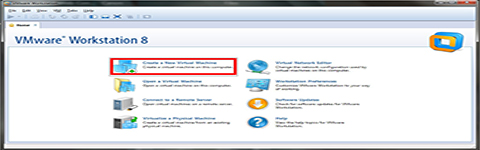
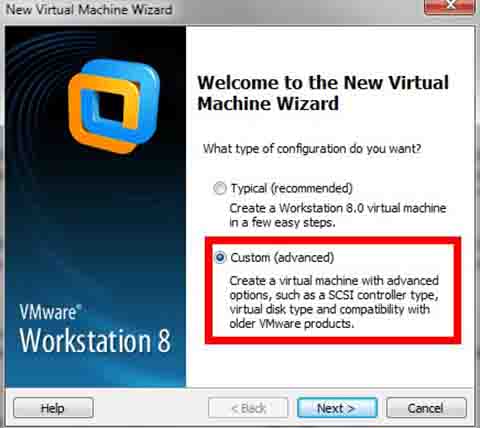
- 建立新虛擬機選「自訂 (Custom)」,非「典型」。
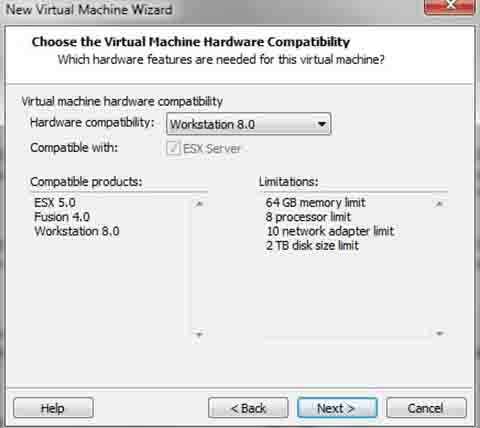
- 硬體相容性選最新版(如 Workstation 9/10/11/12)。
- 客體作業系統選「Microsoft Windows」→ 版本選「Windows 8 x64」。
- 處理器設定:勾選「虛擬化 Intel VT-x/EPT 或 AMD-V/RVI」,此為關鍵,否則 Win8 安裝程式無法驗證授權。
- 記憶體建議 ≥ 2GB(x64 版),硬碟 ≥ 30GB。
- 網路模式選「NAT」或「橋接」,掛載 Win8 RP ISO 開機安裝即可。
常見錯誤
若未啟用虛擬化引擎,安裝至「正在啟動 Windows」階段會報錯「無法驗證產品金鑰」,實為無法存取硬體虛擬化功能導致授權模組失效。