Windows To Go(僅 Enterprise 版支援)預設停用 Windows Store,可透過群組原則啟用,讓行動工作環境也能安裝 Modern 應用。
操作步驟
- 按 Win + F 開啟搜尋,輸入「編輯群組原則」並開啟。
- 依序展開:
電腦設定 → 系統管理範本 → Windows 元件 → 應用商店。
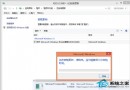
- 雙擊「允許在 Windows To Go 工作區安裝應用程式」,選「已啟用」,確定。
- 按 Win + R 輸入
gpupdate /force 強制套用原則。
說明
- 僅 Windows 8 Enterprise 版包含 Windows To Go 功能。
- 啟用後,Windows To Go 環境即可存取 Store 下載/更新應用。
- 建議在受控企業環境執行,避免授權合規問題。
一鍵群組原則,讓 Windows To Go 也能享用應用商店!