Windows 8 取消開機密碼、實現自動登入的最簡單方法:
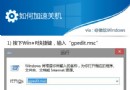
control userpasswords2
netplwiz
重開機後直接進入桌面,無需輸入密碼。同樣安全提醒:僅限物理安全可控環境使用,企業/攜帶裝置嚴禁。
自製 Win8 一鍵恢復分區:DiskGenius + Ghost + BOOTICE 完整實戰(聯想範例)
Windows 8 打造動態視訊使用者大頭貼:拍攝、提取、分享 .accountpicture-ms 檔案全攻略
英文版 Windows 8 應用商店找不到中文應用?修改地區設定為中國即可
Win8 應用商店無法自動更新?啟用 Windows Update 並安裝關鍵補丁修復
Win8 更換桌面捷徑圖示:自訂 ICON 圖片打造個性化桌面
Win8.1 如何停用「開始畫面」?改為直接顯示「應用程式檢視」
Win8 設計特性淺談:系統、互動、視覺與騰訊微博 MS 版設計實踐
Windows 8 修改 Microsoft 帳戶失敗?改用本地帳戶再切換解決