Windows XP Windows 7 Windows 2003 Windows Vista Windows 綜合教學 Linux 系統教學
Windows 10 Windows 8 Windows 2008 Windows NT Windows Server 電腦軟體教學

Windows 8 尋找遠端桌面連線:Win+Q 搜尋與應用商店雙管道快速開啟

編輯:Win8 系統應用技巧

Windows 8 遠端桌面連線 (mstsc) 可透過 Modern UI 搜尋或應用商店快速啟動。本文提供兩種圖文步驟,適合跨國企業、伺服器託管使用者日常遠端管理。

方法一:系統內建 (Win+Q 搜尋)

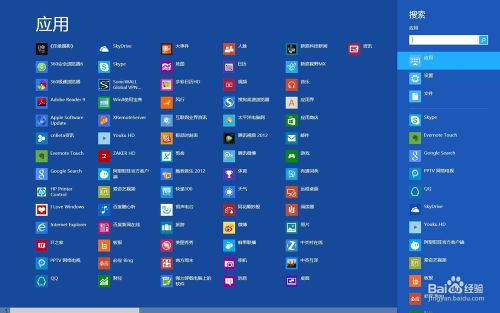
  1. 按 Win+Q 開啟 Modern UI 搜尋。
  2. Win+Q 搜尋介面
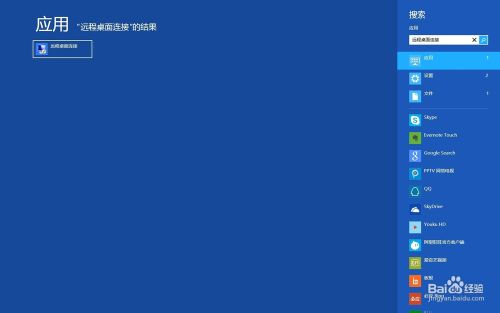
  3. 輸入「遠端桌面連線」,左側結果點選開啟。
  4. 搜尋結果遠端桌面連線

方法二:應用商店安裝 Modern UI 版

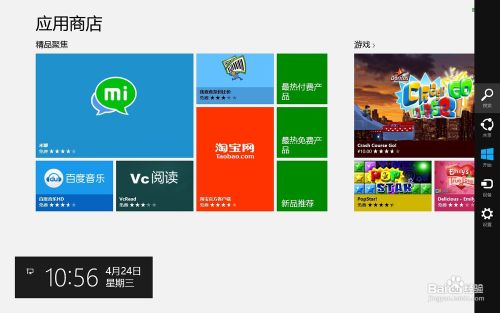
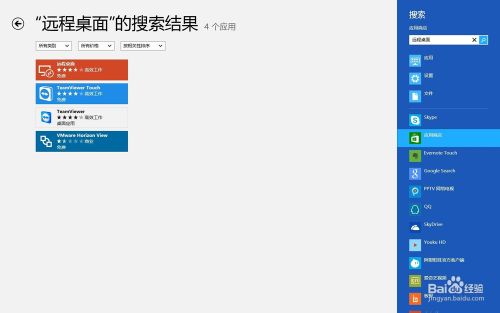
  1. 開啟應用商店,按 Win+C 開啟 Charms 列選「搜尋」。
  2. 應用商店 Charms 搜尋
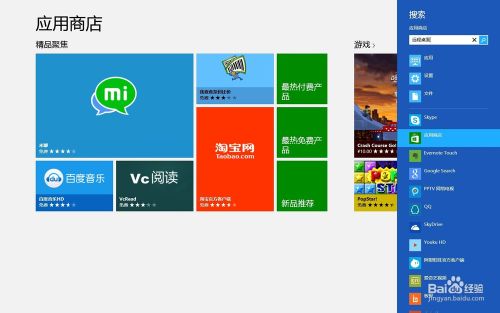
  3. 輸入「遠端桌面」搜尋,點選「Microsoft 遠端桌面」安裝。
  4. 應用商店搜尋結果 安裝 Microsoft 遠端桌面
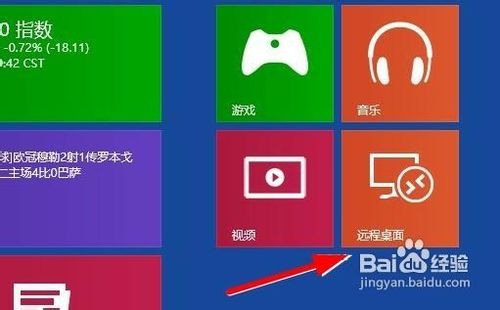
  5. 安裝完成後在開始畫面即可見到磚,點選啟動。
  6. 開始畫面遠端桌面磚

內建版適合傳統桌面操作,Modern UI 版針對觸控優化,依裝置與習慣選擇。

Copyright © Windows教程網 All Rights Reserved