EFS (Encrypting File System) 是 Windows 內建的檔案級加密功能,可保護敏感資料。本文說明如何在 Windows 8 中透過本機安全性原則啟用或停用 EFS。
進入「執行」對話框的兩種方式
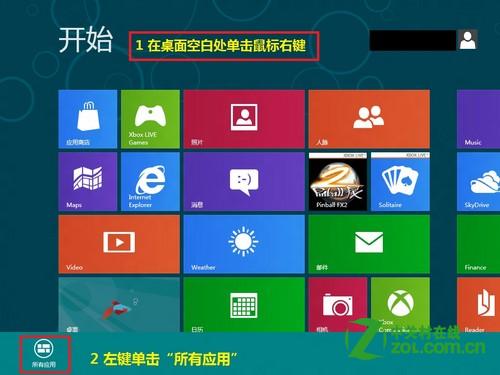
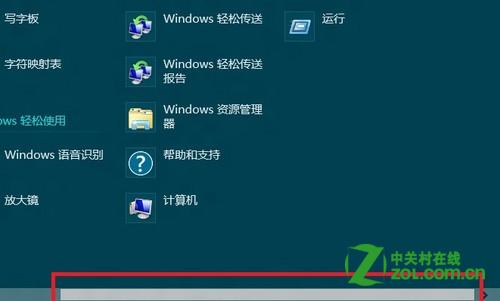
- 在 Metro 介面右鍵空白處 → 選擇「所有應用程式」 → 找到「執行」點擊。
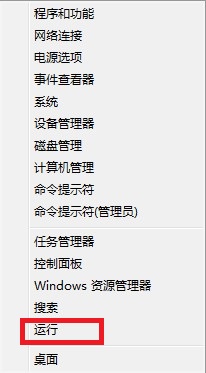
- 或按 Win+X → 選擇「執行」。
設定 EFS 加密原則
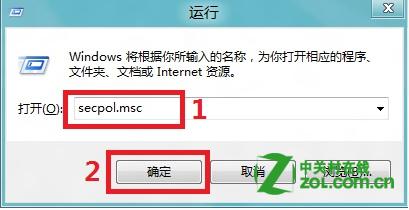
- 在「執行」中輸入
secpol.msc 開啟「本機安全性原則」。
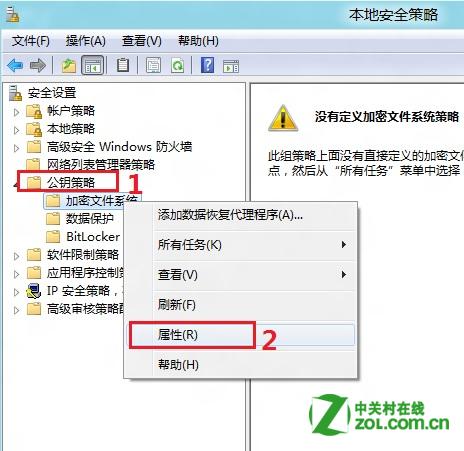
- 展開「公開金鑰原則」 → 右鍵「加密檔案系統」 → 選擇「內容」。
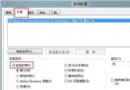
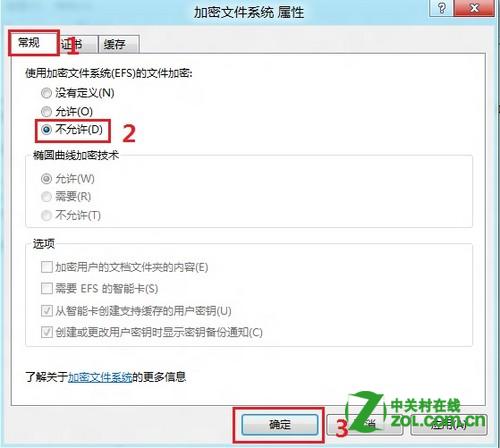
- 在「一般」索引標籤,將「使用加密檔案系統 (EFS) 的檔案加密」設為「已啟用」或「不允許」,點擊「確定」生效。
重要提醒: 停用 EFS 前,務必備份原有 EFS 金鑰,並對已加密資料進行解密操作,避免資料永久無法存取。