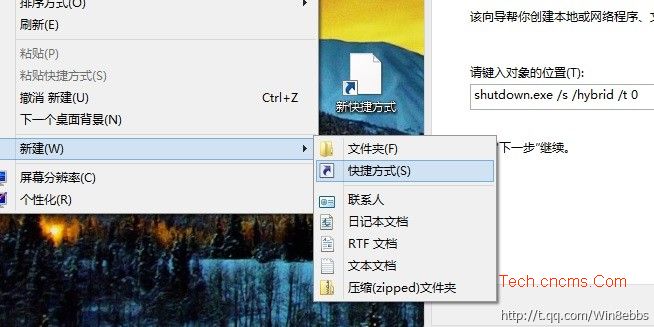
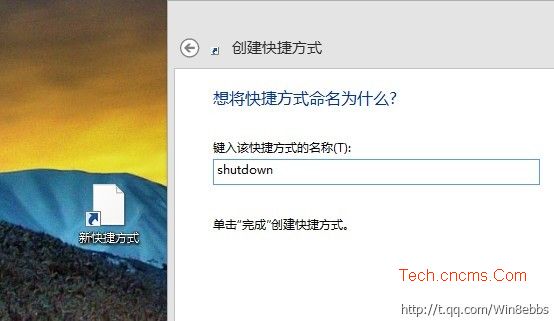
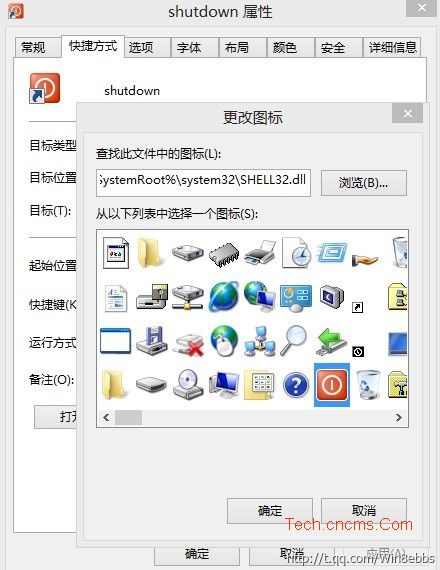
利用 shutdown.exe 參數建立一鍵混合關機捷徑,比任何選單操作都快。
shutdown.exe
shutdown.exe /s /hybrid /t 0
/hybrid
/t 0
點擊即瞬間進入混合關機流程,下次開機極速(利用核心休眠技術)。同理可建立重啟捷徑:shutdown.exe /r /t 0。
shutdown.exe /r /t 0
Win 8.1 Metro IE 三大進化:雙視窗分螢幕、底部工具列整合、無限索引標籤
Win8 多重開機刪除開機選單項目:BCD 編輯移除 Win8 項目
Windows 8 簡報模式開啟/關閉與設定:僅適用筆記型電腦
Windows 8.1 快速切換使用者帳號教學(免登出/重開機)
Windows 8 新介面安裝硬體裝置驅動程式圖文教學
Windows 8.1 移除檔案總管導覽窗格 SkyDrive 快捷方式
Windows 8 檔案總管顯示完整路徑於標題列設定方法
Win8 刪除多餘光碟機磁碟代號 磁碟管理清理無效代號