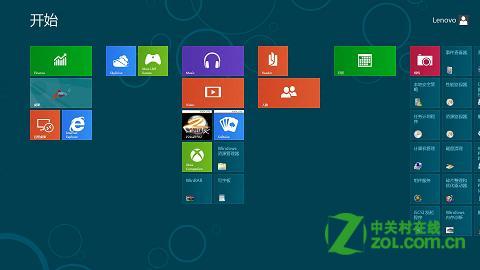
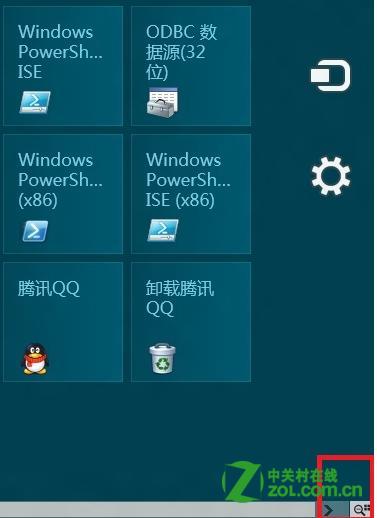
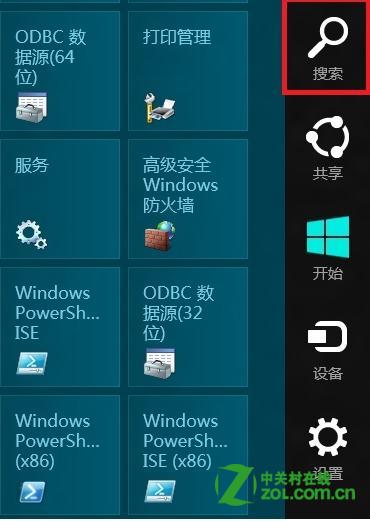
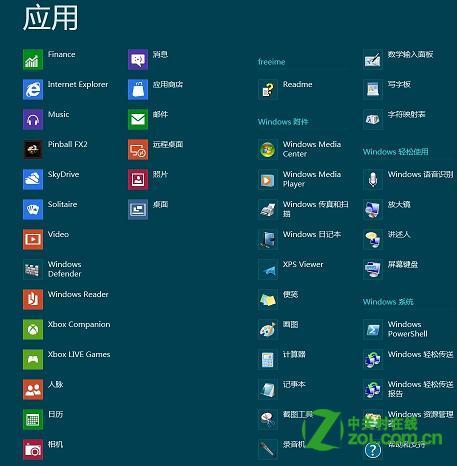
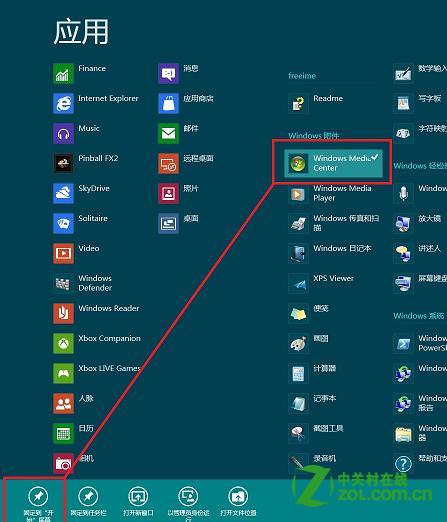
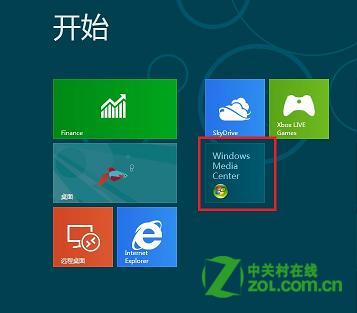
Windows 8 開始畫面可釘選常用應用程式方便啟動,操作步驟如下:
亦可在「所有應用程式」檢視中 (開始畫面右鍵 → 「所有應用程式」) 直接右鍵釘選。
Win8 IE11 與 WP8 瀏覽器書籤同步設定 微軟帳號一鍵同步
Win8 睡眠模式不斷網 網卡電源管理設定法
Win8 錯誤 0xD0000072A 無法切換 Microsoft 帳號?重設 Winsock 解決
Windows 8 Chrome 瀏覽器頻繁崩潰?刪除登錄 Google 金鑰重置設定
善用認證管理器輕鬆找回 Win8/8.1 網頁儲存密碼
Win8 磁碟分區增加技巧:磁碟管理壓縮卷建立新分區
Win8 安裝失敗提示「MBR 分割表」錯誤?解決方法:轉換為 GPT 格式
Windows 8 Metro 磚塊圖示美化教學與圖示下載